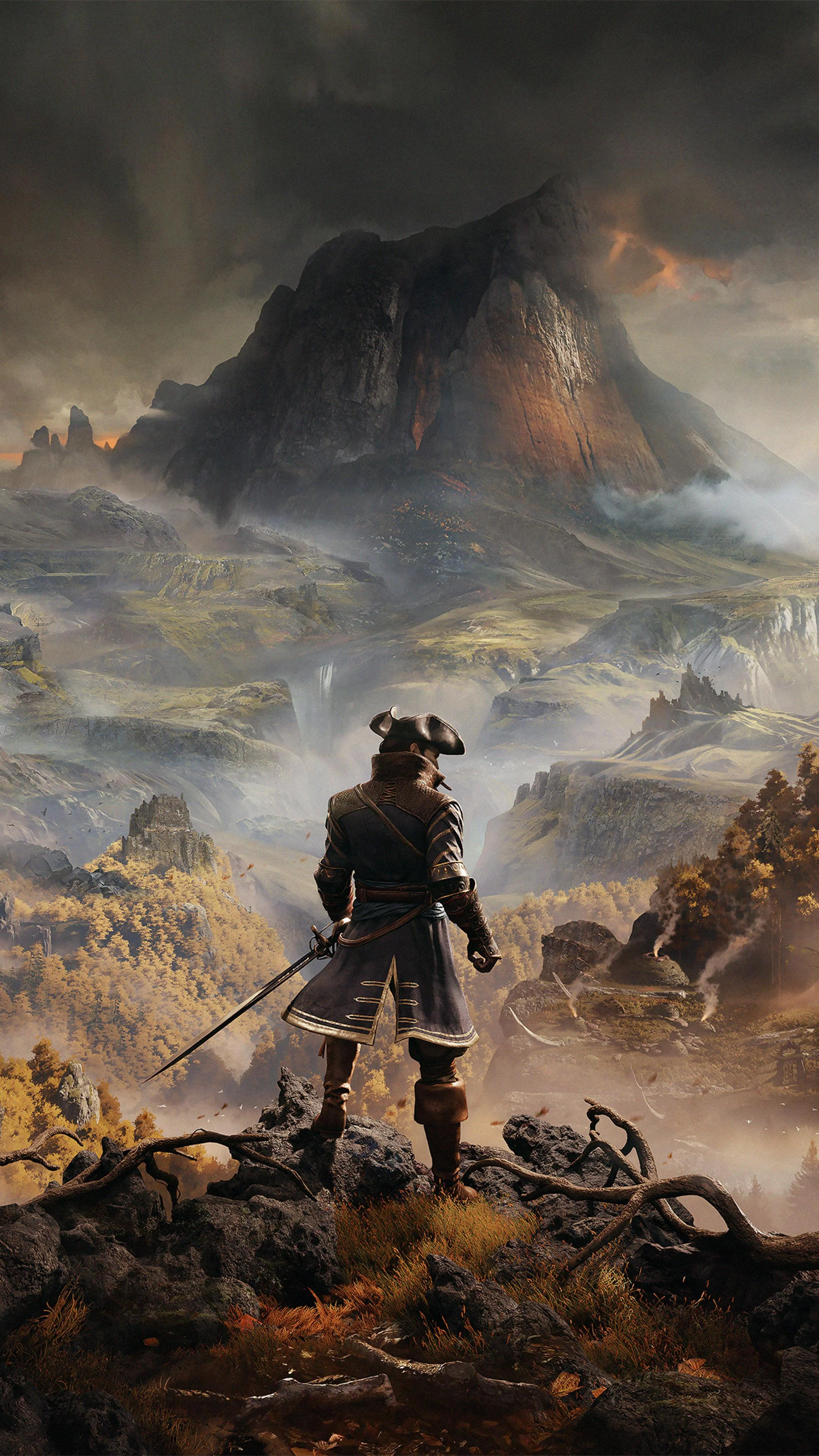
Greedfall
FPS performance data for different CPU and GPU combinations
Explore the uncharted island of Teer Fradee in this 17th-century colonial fantasy action RPG focused on diplomacy, magic, and player choice.
Minimum Requirements
- CPU: Intel Core i5-3450 (3.1 GHz) / AMD FX-6300 (3.5 GHz)
- GPU: NVIDIA GeForce GTX 660 / AMD Radeon HD 7870
- RAM: 8 GB
- Storage: 25 GB available space
FPS Performance Dashboard
Compare FPS performance across different hardware configurations. Add systems to see how they perform at various resolutions and quality settings.
About Greedfall
GreedFall is the rare RPG where our benchmark table reads as good news for almost everyone. Spiders' 2019 colonial-fantasy action RPG has been measured across 3,703 distinct CPU and GPU combinations in our database, and the average system records 90 FPS at 1080p Ultra, 62 FPS at 1440p Ultra, and 37 FPS at 4K Ultra. The fastest combinations reach 735 FPS at 1080p Low, while the slowest hardware we have on record manages 24 FPS at 1080p Ultra. In plain terms: this is a good-looking game from the previous console generation that modern hardware runs easily, and the interesting questions are not "can I run it" but "how high can I push resolution and refresh rate" and "why does my frame rate dip in cities." Both have concrete answers.
The Silk engine: light by modern standards, with one CPU quirk
GreedFall runs on Spiders' in-house Silk engine, the same technology lineage behind The Technomancer and Bound by Flame, and its behavior follows from that heritage. This is a AA engine built for a small team's ambitions: pretty environments, dense vegetation, painterly lighting, and none of the brute-force rendering features that make modern AAA games punish hardware. The practical result is a game that is GPU-bound in the classic, predictable way. Our scaling data shows the pattern clearly: from 1080p to 1440p the average drops from 90 to 62 FPS, about 31 percent, and from 1440p to 4K it falls from 62 to 37, about 40 percent. That is almost exactly the pixel-count ratio, which is what you see when the graphics card is doing the limiting and the processor is keeping up.
The one exception is cities. New Serene, Hikmet, and San Matheus pack crowds of NPCs into dense streets, and this is where GreedFall leans on the CPU. On modern six-core processors you will never notice. On older quad-cores from the game's own era, city centers are where frame rate sags and frame times go uneven, and no graphics card upgrade fixes it because the card is waiting on the processor. Memory requirements are modest: 8 GB of RAM works, 16 GB is comfortable, and the roughly 25 GB install streams well from any SSD. An NVMe SSD shortens the already tolerable load screens, but this is not a game where storage speed changes the experience the way it does in open-world titles built around constant asset streaming.
1080p: a solved problem for modern hardware
At 1920x1080, the 90 FPS Ultra average tells most of the story. Every current mid-range graphics card, and most entry-level ones, max this game at 60 FPS with room to spare, and tuned settings push well past that. The 735 FPS ceiling at Low is worth pausing on: it means the engine has no internal cap worth mentioning and will feed whatever monitor you own. A 144Hz display at 1080p is realistic with mid-range hardware and modest settings tweaks. A 240Hz monitor is achievable too, though mostly at Low settings on high-end cards, which is a trade nobody should make for a slower, story-driven RPG.
The 24 FPS floor at 1080p Ultra comes from the oldest, weakest combinations in our database, hardware that was already dated when the game shipped in September 2019. If your PC is younger than the game, you are on the right side of that line. The honest caveat at 1080p is the city behavior described above: on CPUs from the mid-2010s, the average looks fine but New Serene's market square will remind you that the processor is from a different decade. That is the one scenario at this resolution where a CPU upgrade, not a GPU upgrade, is the correct purchase.
1440p and 4K: where your graphics card earns its keep
The 62 FPS average at 1440p Ultra is the sweet spot in our data. It means the typical system in our database sits right at the 60 FPS line with everything maxed, and any upper-mid-range card from the last few years holds it comfortably, with 100-plus FPS available if you trim shadows. For a single-player RPG with deliberate, pause-friendly combat, 1440p at a steady 60 to 90 FPS is the best version of GreedFall: sharp enough to show off the art direction, smooth enough that camera motion through the forests of Teer Fradee never distracts.
At 4K Ultra the average drops to 37 FPS, and this is the first resolution where spending decisions actually matter. Holding 60 at 4K Ultra requires a genuinely high-end graphics card; mid-range cards land in the 30s and 40s, playable for a game of this pace but visibly heavy in motion. One honest complication: GreedFall predates the upscaling era, so there is no native DLSS or FSR support in the settings menu. If you want upscaling help at 4K, the practical routes are driver-level options such as NVIDIA Image Scaling or AMD's RSR, or third-party frame tools, all applied with modest expectations. Lowering the resolution scale inside the game achieves much the same thing with fewer moving parts.
Recommended settings: our tested configuration
GreedFall's settings menu is conventional, which is good news: the usual suspects cost the usual amounts. Shadow quality is the most expensive option relative to what you actually see on screen, so High instead of Ultra is close to free performance. Draw distance is the setting that matters in cities, because it governs how much of the crowd and street the CPU has to juggle; dropping it one notch steadies frame times exactly where the game is weakest. Ambient occlusion and anti-aliasing should stay on. The game's vegetation-heavy environments shimmer unpleasantly without AA, and this is a game where you will be staring at forests for dozens of hours. Textures can go to maximum on any card with 6 GB of VRAM or more.
The spread in our data says settings discipline pays. The fastest systems reach 735 FPS at 1080p Low against a 90 FPS Ultra average, and while those figures come from different machines, the gap between presets is enormous by any measure. A sensible tuned profile, meaning Ultra textures and AA, High shadows, draw distance down one step, recovers a large share of that gap at a visual cost most players will never notice. We also recommend capping frame rate to your monitor's refresh: the engine's frame pacing is steadier capped than uncapped, and your graphics card will run cooler and quieter for it.
What hardware do you need?
Entry level (older quad-core, 8 to 16 GB RAM, GTX 1650 class): 1080p at Medium to High settings, 50 to 70 FPS outside cities. The game shipped with a GTX 660-era minimum spec, and it shows; this is one of the least demanding action RPGs of its year.
Mid-range (modern 6-core, 16 GB RAM, RTX 4060 or RX 7600 class): 1080p Ultra at 90 to 120-plus FPS, 1440p at High to Ultra around 60 to 90. This tier is the answer for most readers asking about the best graphics card for GreedFall: a current mid-range card does everything the game can ask, and spending more buys headroom for other titles rather than anything GreedFall itself needs.
High-end (fast 6 to 8-core, 16 to 32 GB RAM, RTX 4070 or RX 7800 XT class): 1440p Ultra at triple-digit frame rates and 4K at 60 with light tuning. If you are pairing this game with a new 144Hz monitor, this is where the pairing starts to make sense.
Flagship: 4K Ultra locked above 60, or absurd 1080p frame rates for their own sake. Our 735 FPS ceiling at Low comes from this class of hardware. Nothing in GreedFall justifies flagship spending on its own, but a flagship obviously flattens it.
Laptop playability
GreedFall is one of the friendlier games in our database for laptops, simply because of its age and engine. Any gaming laptop from the RTX 3050 class upward runs it at 1080p High to Ultra at 60-plus FPS, and the modest power demands mean the fans stay civilized, which cannot be said for most RPGs released from 2023 onward. Modern integrated graphics get you in the door: a Radeon 780M-class iGPU handles Low to Medium settings at reduced resolution well enough for a full playthrough, and Steam Deck-class handhelds run the game respectably with tuned settings, which suits its slow-burn pacing.
Two laptop-specific notes. First, make sure the game is actually using the discrete GPU and not the integrated one; older titles are the most common victims of that driver mix-up, and the symptom is exactly the "why is my good laptop slow" report we see in comments. Second, play plugged in with the performance power profile selected, because the game's city scenes expose the CPU throttling that battery mode imposes.
Streaming and content creation
A single-player, dialogue-heavy RPG is a streaming-friendly genre to begin with, and GreedFall's light footprint makes it more so. The game leaves so much CPU headroom on modern processors that even x264 software encoding is viable on an 8-core chip, a claim we make about very few games. That said, a hardware encoder remains the right default: NVENC on NVIDIA cards or AMF on AMD produces a clean 1080p60 stream for a couple of percent of GPU performance, and it removes the one variable, encoder contention, that can make a relaxed playthrough stream look worse than the game feels. For a streaming setup built around long-form RPG content, the more relevant investment is microphone quality and upload bitrate rather than PC horsepower.
The same logic applies to video work. GreedFall capture is undemanding source material, and a mid-range machine that can play it at 1440p can also edit that footage in DaVinci Resolve or Premiere without complaint. If you are testing a new video editing or workstation build, this game is a reasonable first project precisely because it will not expose the machine's weak points.
Common problems and fixes
Frame rate drops in cities, fine everywhere else. CPU-bound crowd and draw-call load. Lower draw distance and shadow quality, cap the frame rate, and if you are on a quad-core from the mid-2010s, understand that New Serene is simply asking more than that chip has.
Stutter when entering new areas. Asset and shader streaming. Install on an SSD rather than a hard drive, update your GPU driver so the shader cache behaves, and give the game a beat after loading rather than sprinting straight into the next region.
Poor performance on a laptop that should be fast. Almost always the game running on the integrated GPU. Force the discrete GPU in your driver's application settings and the problem disappears.
Frame pacing feels rough despite high FPS. The engine prefers a cap. Lock to your refresh rate with in-game or driver tools, and prefer fullscreen mode over borderless if it persists.
Ultrawide quirks. Gameplay renders properly at 21:9, but some cutscenes and UI elements assume 16:9. Community fixes exist and work; check PCGamingWiki before your playthrough rather than mid-conversation.
Upgrade priorities
If GreedFall specifically is the reason you are spending, the order is short. First, if you play at 1440p or 4K and fall short of 60, the graphics card is the bottleneck for almost everyone, and that is where the money goes. Second, if your frame rate collapses only in cities on an older processor, that is the legitimate CPU upgrade case, and it applies to a shrinking minority of players at this point. Third, memory: 8 GB works but 16 GB removes the occasional hitch, and if you are building new, dual-channel DDR5 is the correct baseline in 2026, for this game and everything after it. Storage last: any SSD will do, and a faster drive is a quality-of-life purchase rather than a performance one here.
A word of perspective for anyone speccing a whole gaming PC build around this title: don't. Build for the heaviest game you play. A machine configured to GreedFall's needs is a modest mid-range rig, and the savings are better spent on the monitor you will be staring at through all 40-plus hours of the campaign.
Frequently asked questions
Q: Is GreedFall CPU or GPU intensive?
A: GPU, in a predictable, old-school way. Our averages scale almost exactly with pixel count, 90 FPS at 1080p, 62 at 1440p, 37 at 4K, which is the signature of a GPU-limited game. The exception is city centers, where crowd density leans on the CPU, so very old quad-cores stumble there regardless of graphics card.
Q: Can an old or budget PC run GreedFall?
A: Almost certainly yes. The slowest combination in our entire database still manages 24 FPS at 1080p Ultra, and the game's original minimum spec called for a GTX 660-class card. Any discrete GPU from the last several years will play it comfortably at 1080p.
Q: Does GreedFall support DLSS or FSR?
A: No. The game shipped in 2019, before either was common, and never received native upscaling. Driver-level options from NVIDIA or AMD, or the in-game resolution scale slider, are the practical substitutes at 4K.
Q: What does it take to play at 4K 60 FPS?
A: Our 4K Ultra average is 37 FPS, so mid-range cards land short. A high-end card, think RTX 4070 class and above, holds 60 at 4K with minor settings trims, and a flagship holds it with everything maxed.
Q: How much RAM does GreedFall need?
A: 8 GB runs it, 16 GB runs it without the occasional hitch. Beyond 16 GB there is nothing to gain for this game alone.
Q: Is GreedFall still worth playing in 2026?
A: Yes, and it has aged well because the art direction was always the selling point rather than raw technology. With GreedFall 2: The Dying World in early access, the original is also the natural, inexpensive way to find out whether this world and its faction-driven storytelling are for you.
The bottom line
Seven years after release, GreedFall occupies a comfortable spot in our library: a handsome, mid-budget RPG that the hardware market has thoroughly caught up with. The measured reality is 90 FPS at 1080p Ultra, 62 at 1440p, and 37 at 4K across more than 3,700 tested combinations, with a 735 FPS ceiling for flagship hardware and a 24 FPS floor that only the truly ancient machines in our database ever touch. For a game built on a small French studio's in-house engine, that is a record to be proud of. The practical advice reduces to one line: any reasonably modern gaming PC plays GreedFall well, the graphics card decides your resolution ceiling, and only the city streets will ever ask your CPU a hard question. Spend accordingly, and spend the difference on the games that actually need it.