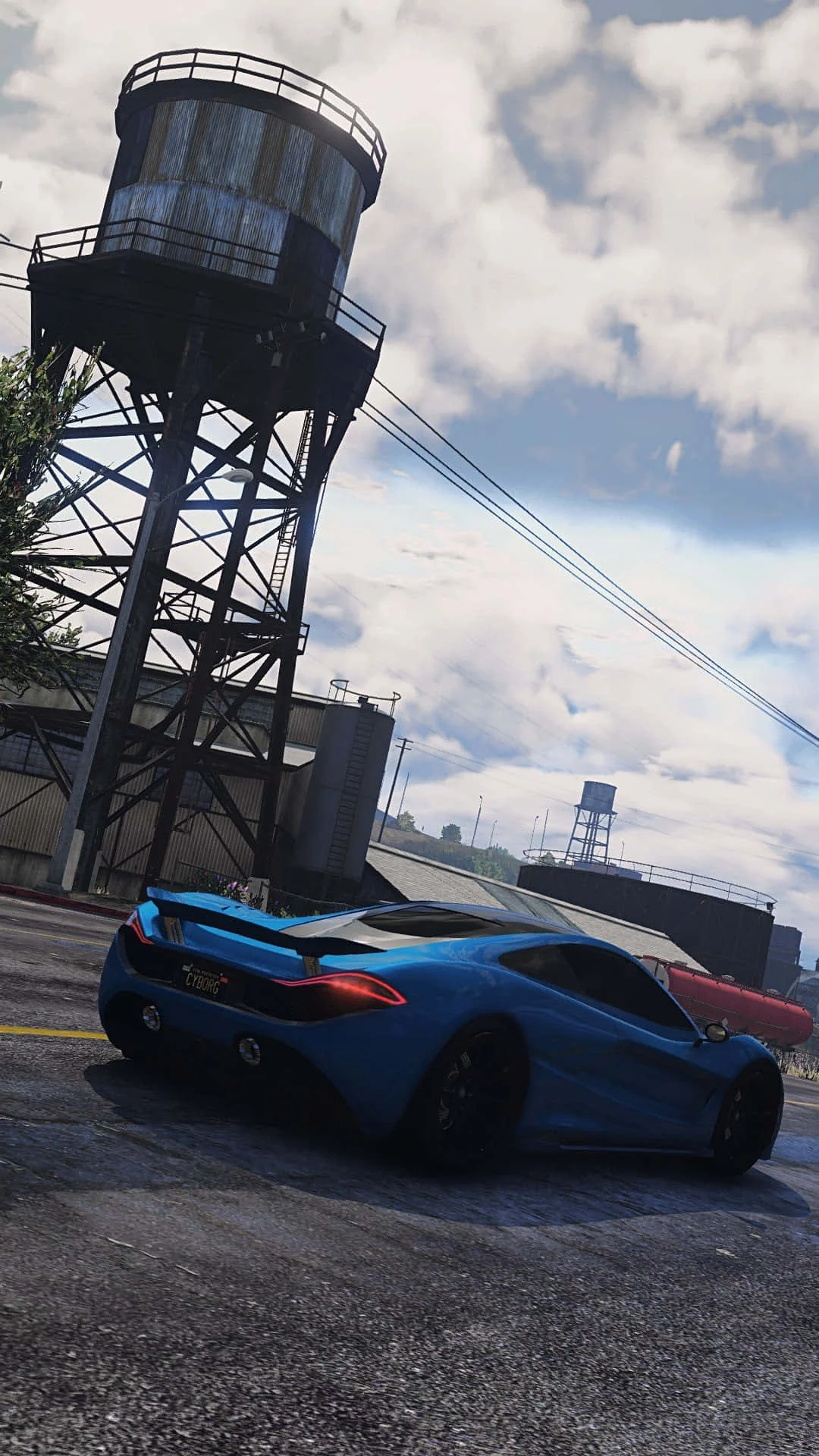
Fivem
This combination provides smooth gameplay with an average of 64 FPS, suitable for most gaming scenarios.
Average FPS: resolution vs quality settings
| Ultra | High | Medium | Low | |
|---|---|---|---|---|
| 4K Ultra HD | 19 | 26 | 35 | 48 |
| 1440p QHD | 36 | 50 | 67 | 92 |
| 1080p Full HD | 58 | 80 | 106 | 146 |
Cell color: green is 120+ FPS, teal is 60+, amber is 30+, red is below 30.
Fivem with AMD Ryzen 5 5600G + NVIDIA GeForce RTX 3050 4 GB, In-Depth Analysis
Fivem is a demanding multiplayer title that stresses both processor and graphics hardware, and the measured results for the AMD Ryzen 5 5600G paired with the NVIDIA GeForce RTX 3050 4 GB reveal a system that is tightly balanced, with performance scaling that shifts between CPU and GPU limits depending on resolution and settings. The data shows a combination that can deliver playable frame rates at 1080p, but which struggles to maintain smoothness at 4K, highlighting where the bottleneck lies under different conditions.
Resolution Scaling
The measured FPS data across the three resolutions tells a clear story about how this system scales with pixel count. At 1080p with Low settings, the combo achieves an average of 146 FPS, but this drops dramatically to 92 FPS at 1440p and then to 48 FPS at 4K. This represents a 37% reduction from 1080p to 1440p, and a further 48% reduction from 1440p to 4K, indicating that the GPU is becoming the primary limiting factor as resolution increases. The scaling is not linear, which suggests that the RTX 3050 4 GB’s memory bandwidth and raw compute power are being saturated at higher pixel counts.
Looking at the High settings preset, the trend continues but with a different starting point. At 1080p High, the system delivers 80 FPS, which falls to 50 FPS at 1440p (a 37.5% drop) and then to 26 FPS at 4K (a 48% drop from 1440p). The consistency of these percentage drops across Low and High settings implies that the rendering pipeline is uniformly stressed by resolution, with the CPU having less influence at higher pixel counts. The question this raises is whether the 5600G’s six cores are keeping pace at lower resolutions, or if the GPU is already the bottleneck even at 1080p.
The Ultra preset shows the most severe scaling, with 58 FPS at 1080p, 36 FPS at 1440p, and just 19 FPS at 4K. The 4K Ultra result is particularly telling, as it falls below 20 FPS, making the game effectively unplayable at that configuration. The data suggests that the RTX 3050 4 GB is not designed for 4K gaming in Fivem, regardless of the CPU’s capabilities. The medium preset offers a middle ground, with 106 FPS at 1080p, 67 FPS at 1440p, and 35 FPS at 4K, showing that even a moderate settings reduction does not make 4K viable.
FAQ
Q: What is the best resolution for this CPU-GPU combo in Fivem?
A: The data shows that 1920x1080 is the only resolution where the combo consistently delivers playable frame rates across all settings. At 1080p, the average FPS ranges from 146 on Low to 58 on Ultra, with Medium at 106 FPS and High at 80 FPS. At 1440p, only Low settings (92 FPS) and Medium settings (67 FPS) remain above 60 FPS, while 4K results are all below 50 FPS.
Q: How does the CPU perform relative to its nearest rivals?
A: The AMD Ryzen 5 5600G has an average benchmark score of 21088, which places it within 0.4% of its nearest rivals. It is 0.1% faster than the Intel Core i3-1220P (21066), but 0.1% slower than the Intel Core Ultra 7 256V (21112), 0.2% slower than the AMD Ryzen 5 7530U (21133), and 0.4% slower than the Intel Core Ultra 7 155U (21174). This indicates the 5600G is positioned in a tightly contested performance tier.
Q: Is the RTX 3050 4 GB capable of running Fivem at high settings?
A: At 1080p with High settings, the combo achieves 80 FPS, which is playable. However, at 1440p High, the frame rate drops to 50 FPS, and at 4K High it falls to 26 FPS. The data suggests that High settings are only viable at 1080p, while lower resolutions require reduced settings to maintain smooth performance.
Q: What frame rate can users expect at 4K with this setup?
A: The 4K results are uniformly poor. The best 4K result is 48 FPS on Low settings, followed by 35 FPS on Medium, 26 FPS on High, and 19 FPS on Ultra. None of these configurations provide a consistently smooth experience, indicating that 4K is not a practical option for this hardware combination in Fivem.
Q: Does the CPU or GPU limit performance more in this game?
A: The resolution scaling data indicates that the GPU becomes the limiting factor at higher resolutions. The frame rate drops significantly from 1080p to 1440p and again to 4K, which points to GPU saturation. However, at 1080p Low (146 FPS), the CPU may be the limiting factor, as the frame rate is high enough that the 5600G’s six cores and 12 threads could be holding back the GPU.
Q: How does the combo rank among all tested configurations?
A: The combo ranks 3099 out of 3707 tested combinations in Fivem, placing it in the lower portion of the performance spectrum. This ranking suggests that while the hardware is capable of running the game, it does not provide a top-tier experience compared to other possible pairings.
GPU Role
The NVIDIA GeForce RTX 3050 4 GB is built on the Ampere architecture, featuring 2048 shading units, 64 TMUs, and 32 ROPs. Its 4 GB of GDDR6 memory on a 128-bit bus provides a bandwidth of 192.0 GB/s, which is a critical factor in Fivem’s performance at higher resolutions. The base clock is 1545 MHz with a boost clock of 1740 MHz, and the memory runs at 1500 MHz with 12 Gbps effective speed. These specifications, combined with 16 RT cores and 64 tensor cores, give the GPU a 7.127 TFLOPS FP32 compute rating.
The 4 GB VRAM capacity is a notable constraint in Fivem, which is a multiplayer game with potentially large draw distances and many dynamic objects. At 1080p, the data shows that the GPU can handle the workload, with frame rates ranging from 58 FPS on Ultra to 146 FPS on Low. However, as resolution increases, the demand on VRAM and memory bandwidth grows, and the 192.0 GB/s bandwidth becomes a limiting factor. The 4K results, where even Low settings only yield 48 FPS, suggest that the GPU is running out of both compute and memory resources.
The RTX 3050 4 GB’s pixel rate of 55.68 GPixel/s and texture rate of 111.4 GTexel/s are modest by modern standards, and the data reflects this in the resolution scaling. The GPU’s 90 W TDP and dual-slot design indicate it is a low-power part, but this comes at the cost of performance headroom. The benchmark results show that the GPU is the primary bottleneck at 1440p and 4K, where the frame rate drops are consistent with a graphics-bound scenario. The GPU’s percentile rank of 50 among all GPUs confirms it is an average performer, which aligns with the measured FPS data.
How This Combo Ranks
The combo rank of 3099 out of 3707 tested combinations places this system in the 16th percentile of all tested configurations in Fivem. This is a low ranking, indicating that there are many other CPU-GPU pairings that deliver better performance in this specific game. The ranking suggests that while the Ryzen 5 5600G is a capable processor, and the RTX 3050 4 GB is a functional graphics card, the combination does not excel in Fivem’s particular workload.
The low rank is likely influenced by the GPU’s 4 GB VRAM and 128-bit memory bus, which are not ideal for a game that scales poorly with resolution. The CPU, despite being a 6-core 12-thread part with a boost clock of 4.40 GHz, cannot compensate for the GPU’s limitations at higher resolutions. The data shows that even at 1080p, the combo does not achieve the high frame rates that might be expected from a more balanced system, with the Ultra preset only reaching 58 FPS.
When compared to the CPU’s nearest rivals, the 5600G performs nearly identically, with a delta of less than 0.5% from its closest competitors. This means that swapping the CPU for a direct rival would not significantly change the combo’s ranking. The bottleneck is clearly the GPU, and the ranking reflects this. Users looking for better performance in Fivem would need to consider a different GPU, as the CPU is providing adequate performance relative to its peers.
CPU Role
The AMD Ryzen 5 5600G is a 6-core, 12-thread processor based on the Zen 3 architecture, with a base clock of 3.90 GHz and a boost clock of 4.40 GHz. It has 16 MB of L3 cache and supports DDR4 memory with a dual-channel interface, providing a memory bandwidth of 51.2 GB/s. The CPU’s benchmark scores show a single-thread score of 1409 in Cinebench R23 and a multicore score of 10551, indicating that it has solid per-core performance but moderate multi-threaded capability.
In Fivem, the CPU’s role appears to be secondary to the GPU at higher resolutions, but it may be the limiting factor at 1080p Low. The data shows 146 FPS at 1080p Low, which is a high frame rate that could be constrained by the CPU’s ability to feed the GPU with draw calls and physics calculations. The 5600G’s 6 cores are sufficient for most games, but Fivem’s multiplayer nature can create CPU bottlenecks in dense areas with many players.
The CPU’s percentile rank of 74 among all CPUs indicates it is above average, and its nearest rivals all perform within 0.4% of its average score. This suggests that the 5600G is not a weak link in the system. However, the measured FPS data shows that at 4K, the frame rates are so low (19-48 FPS) that the CPU is clearly not the limiting factor; the GPU is. The CPU’s 3DMark scores, including 1705 in the 2-thread test and 5455 in the max-thread test, show that it can handle multi-threaded workloads, but Fivem’s performance is more dependent on the GPU.
The CPU’s integrated Radeon Vega 7 graphics are irrelevant when a discrete GPU is present, but they do indicate that the 5600G is a versatile processor. The data suggests that in this combo, the CPU is performing as expected, and the bottlenecks are firmly on the GPU side, particularly at resolutions above 1080p.
Measured FPS Breakdown
At 1920x1080, the combo delivers a wide range of performance depending on settings. Low settings produce an average of 146 FPS, which is excellent for competitive play. Medium settings reduce this to 106 FPS, with a minimum of 90 FPS and a maximum of 122 FPS, providing a smooth experience. High settings drop to 80 FPS, which is still playable, while Ultra settings fall to 58 FPS, which may feel less smooth for some players. The 1080p results show that the system has enough headroom for high refresh rate monitors at lower settings.
At 2560x1440, the performance drops significantly. Low settings achieve 92 FPS, which is still above 60 FPS, but Medium settings fall to 67 FPS, with a minimum of 57 FPS and a maximum of 77 FPS. High settings yield 50 FPS, which is below the 60 FPS threshold, and Ultra settings drop to 36 FPS. The 1440p data suggests that users should stick to Low or Medium settings to maintain playable frame rates, and even then, frame drops below 60 FPS are possible.
At 3840x2160, the results are marginal at best. Low settings achieve 48 FPS, Medium settings 35 FPS, High settings 26 FPS, and Ultra settings 19 FPS. None of these are consistently smooth, and the Medium preset has a minimum FPS of 30, indicating significant frame drops. The 4K data confirms that this combo is not suitable for 4K gaming in Fivem, as even the lowest settings fail to provide a consistently playable experience. The measured FPS breakdown clearly shows that 1080p is the sweet spot for this hardware, with 1440p being a compromise and 4K being impractical.
Settings Recommendations
Based on the measured FPS data, the best experience for this combo in Fivem is at 1080p with Medium or High settings. The Medium preset at 1080p provides 106 FPS average, with a minimum of 90 FPS, which is a good balance between visual quality and smoothness. High settings at 1080p offer 80 FPS, which is also playable, but the 26 FPS dip in performance compared to Medium may not be worth the visual upgrade for some users. Low settings at 1080p deliver 146 FPS, which is ideal for competitive play, but the visual quality is significantly reduced.
For users with 1440p monitors, the data suggests that Medium settings are the best option, with 67 FPS average and a 57 FPS minimum. Low settings at 1440p achieve 92 FPS, which is smoother, but the visual compromise is substantial. High settings at 1440p fall below 60 FPS, and Ultra settings are not recommended. At 4K, the data shows that no settings preset provides a good experience, so users should avoid 4K with this combo unless they are willing to accept frame rates below 30 FPS.
The Ultra preset is not recommended at any resolution, as it yields the lowest frame rates and does not provide a playable experience above 1080p. The Medium preset appears to be the sweet spot, offering a balance of visual fidelity and performance across resolutions. The data indicates that users should prioritize resolution over settings, as dropping to 1080p with Medium settings provides a much better experience than 1440p with Low settings. The measured rows show that the system is best utilized at 1080p with Medium or High settings, and users should adjust their expectations accordingly for higher resolutions.
Hardware Specifications
AMD Ryzen 5 5600G
NVIDIA GeForce RTX 3050 4 GB
FPS Benchmarks by Resolution & Settings
Performance data for AMD Ryzen 5 5600G + NVIDIA GeForce RTX 3050 4 GB in Fivem
| Resolution | Settings | Avg FPS |
|---|---|---|
| 3840x2160 | Low | 48.0 |
| 3840x2160 | Medium | 35.0 |
| 3840x2160 | High | 26.0 |
| 3840x2160 | Ultra | 19.0 |
| 2560x1440 | Low | 92.0 |
| 2560x1440 | Medium | 67.0 |
| 2560x1440 | High | 50.0 |
| 2560x1440 | Ultra | 36.0 |
| 1920x1080 | Low | 146.0 |
| 1920x1080 | Medium | 106.0 |
| 1920x1080 | High | 80.0 |
| 1920x1080 | Ultra | 58.0 |
Fivem with RTX 3050 4 GB + Other CPUs
See how Fivem performs with the same GPU but different processors.
Other Games with Ryzen 5 5600G + RTX 3050 4 GB
Explore FPS benchmarks for other games using this same hardware combination.