Heroes Of The Storm
FPS performance data for different CPU and GPU combinations
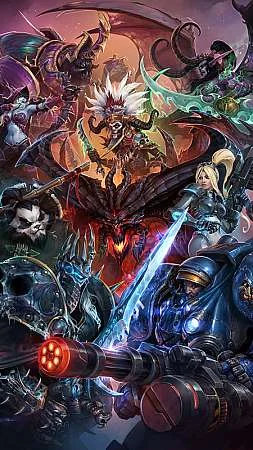
Blizzard's crossover MOBA featuring iconic heroes from Warcraft, StarCraft, Diablo, and Overwatch battling for dominance in the Nexus.
Minimum Requirements
- CPU: Intel Core i3-530 / AMD Phenom II X4 910
- GPU: NVIDIA GeForce GT 440 / AMD Radeon HD 4670 / Intel HD 4000
- RAM: 4 GB
- Storage: 20 GB
FPS Performance Dashboard
Compare FPS performance across different hardware configurations. Add systems to see how they perform at various resolutions and quality settings.
About Heroes Of The Storm
Heroes of the Storm is Blizzard's answer to a question nobody expected the company to ask: what happens when you take the StarCraft II engine, strip out the resource macro, and build a team brawler around ten heroes fighting over map objectives. A decade after its June 2015 release, the answer turns out to be a MOBA that is remarkably easy to run and remarkably honest in what it asks of your hardware. Across 3,715 measured CPU and GPU combinations in our database, the average system records 102 FPS at 1080p Ultra, 65 FPS at 1440p Ultra, and 34 FPS at 4K Ultra. The fastest combinations reach 405 FPS at 1080p Low, which makes this one of the few games where a 240Hz monitor is a realistic purchase rather than a marketing fantasy, while the slowest pairing in our data still manages 27 FPS at 1080p Ultra. That spread, roughly fifteen to one, tells you almost everything about this game: the ceiling is very high, the floor is forgiving, and the deciding factor is almost always the processor.
Engine behavior: an RTS heart in a MOBA body
Heroes of the Storm runs on a heavily modified version of the StarCraft II engine, and its performance profile follows directly from that inheritance. This is not a shooter engine with a netcode bolted on. It is a deterministic simulation engine of the kind real-time strategy games are built on, where the CPU tracks the state of every unit on the map and all ten players' clients must agree on that state at every tick. In practice that means the processor does the heavy lifting: hero abilities, minion wave pathing, mercenary camp AI, objective mechanics, and the fog-of-war checks all run on the CPU, and the work is concentrated in a small number of threads rather than spread evenly across a modern many-core chip.
The practical consequence is that Heroes of the Storm is CPU-bound at 1080p on almost any hardware worth discussing. A strong single-threaded processor lifts both the average and, more importantly, the worst-case frame times during ten-hero team fights, which are the moments that decide matches. The GPU, by contrast, has an easy life at lower resolutions. The game's art style favors clean, readable geometry and hand-painted textures over shader complexity, so even modest graphics cards render 1080p Ultra without complaint. This is why the 102 FPS average at 1080p Ultra is so close to what budget builds achieve: the graphics card is rarely the thing holding you back.
Memory behavior is mild by modern standards. The game fits comfortably in 8 GB of RAM, and 16 GB leaves generous headroom for a browser full of talent guides and a Discord call. Where memory genuinely matters is for players on integrated graphics, because an iGPU shares system memory and the StarCraft II lineage makes the engine sensitive to memory bandwidth. Dual-channel DDR5 is the single biggest performance lever on an APU-only machine; running the same chip with one stick of RAM can cost a third of your frame rate. Storage demands are light too, though the game's install has grown over the years and an NVMe SSD still shortens load screens meaningfully compared to an old hard drive.
1080p: the resolution this game was built for
At 1920x1080 with every setting maxed, our measured average of 102 FPS across 3,715 combinations puts Heroes of the Storm in rare company: it is a game the average gaming PC does not just run, it runs well. Mid-range builds from the last several years sit comfortably above 100 FPS at Ultra, and strong processors push well past 200 FPS in quieter lane phases. For most players, 1080p is where the game lives, and the experience is excellent.
The number that deserves more attention is the floor. Our slowest recorded combination manages 27 FPS at 1080p Ultra, and while that pairing is genuinely ancient hardware, it illustrates the failure mode of this engine: when an old dual-core meets a late-game team fight with ten heroes, two boss camps, and three lanes of minions converging on a core, the simulation load spikes and the frame rate craters. The drop is almost never the graphics card's fault. If your 1080p performance falls apart specifically during team fights while laning feels smooth, that is a CPU bottleneck announcing itself, and no graphics setting will fully cure it. Dropping effects and shadow quality helps by trimming particle count, but the real fix is a processor upgrade.
At the other end, the 405 FPS ceiling at 1080p Low is not theoretical trivia. Competitive MOBA players routinely run reduced settings for clarity and latency, and on a modern flagship CPU this game will feed a 240Hz monitor with frames to spare. If high-refresh competitive play is your goal, Heroes of the Storm is one of the cheapest games in our library to do it with.
1440p and 4K: where the GPU finally shows up
Moving to 2560x1440 pulls the average down to 65 FPS at Ultra, and the balance between components starts to shift. The graphics card takes a real share of the workload for the first time, though the CPU never fully steps aside. A mid-range GPU paired with a decent processor holds 60 FPS at 1440p Ultra without drama, and players willing to trim a few settings will find high-refresh 1440p entirely achievable on hardware that is far from exotic. This is the sweet spot for players who want a sharper image without spending flagship money, and a 144Hz 1440p monitor pairs beautifully with a mid-tier build here.
At 3840x2160 the average falls to 34 FPS at Ultra, and the honest reading of that number is that 4K Heroes of the Storm is a luxury rather than a target. The game looks genuinely good at 4K, its clean art scales up gracefully and the interface stays crisp, but there is no native upscaling support to lean on. No DLSS, no FSR, no XeSS. The engine predates the upscaling era and Blizzard's shift to maintenance mode means that will never change. Your tools at 4K are resolution scaling inside the game, which renders at a lower internal resolution and upscales the output, or simply lowering settings. A high-end graphics card will hold 60 FPS at 4K Ultra, but given that MOBA readability matters more than pixel density, most players are better served by 1440p at high refresh than 4K at 60.
Settings and the competitive configuration
The settings menu is small by modern standards, which makes tuning straightforward. The GPU-side options are texture quality and shader complexity; the CPU-side options are effects, shadows, and physics. Because the game is usually CPU-bound, the settings that recover the most frame rate are effects quality and shadow quality. Effects governs particle density during ability-heavy team fights, which is exactly when the frame rate matters most, and shadows are expensive for something most players disable within a week of competitive play anyway.
The competitive configuration the community converged on years ago still holds: effects and shadows at Low, textures at High or Ultra since they cost little on any card with 4 GB of VRAM, and everything else tuned to taste. This profile pushes strong CPUs into the 200 to 400 FPS range our ceiling data shows is possible, reduces visual clutter during objective fights, and lowers input latency for skillshot timing. Two more tips worth the thirty seconds they take: enable the in-game frame rate and latency display with Control+Alt+F so you can see whether drops are frame time or network time, and cap your frame rate a little below your monitor's refresh if you experience tearing, since the engine's uncapped mode can push frame times into uneven territory on very fast systems.
What hardware do you need?
Entry level. Integrated graphics and older budget cards can genuinely play this game. An APU-based system with dual-channel memory handles 1080p at reduced settings in the 40 to 60 FPS range in our lower-percentile data, and older discrete cards from a decade ago manage similar. The floor of 27 FPS at 1080p Ultra belongs to truly aged hardware, and even that is technically playable in a genre that tolerates low frame rates better than shooters do. If your machine struggles here, check that you have two memory sticks before blaming anything else.
Mid-range. A modern 6-core CPU, 16 GB of RAM, and a mid-tier graphics card is the sweet spot and matches our averages almost exactly: around 100 FPS at 1080p Ultra, 65 at 1440p Ultra. This is the tier where the question of the best graphics card for Heroes of the Storm has a boring answer: almost any current mid-range card is more than enough, so spend on the processor instead. A gaming PC build aimed at this game should weight its budget toward the CPU more than conventional wisdom suggests.
High-end. A fast modern processor with strong single-thread performance and a solid GPU delivers 144Hz-plus at 1080p Ultra, high-refresh 1440p, and holds its frame rate through the messiest team fights. This tier is about the floor, not the average: the expensive CPU keeps the worst moments smooth, which is what wins objective fights.
Flagship. Top-tier hardware pushes 1080p Low into the 300 to 405 FPS territory our ceiling data records, making 240Hz competitive play real, and handles 4K Ultra at or above 60 FPS where lesser cards sit at the 34 FPS average. Buying flagship hardware specifically for this game alone is hard to justify, but if the machine is also your video editing or workstation box, Heroes of the Storm will never be the thing that limits it.
Laptop playability
Heroes of the Storm is one of the most laptop-friendly competitive games in our database, with two caveats. The good news first: any gaming laptop from the last several years runs it beautifully, and even thin-and-light machines with modern integrated graphics manage playable 1080p at reduced settings, provided the memory is dual-channel. The game's modest GPU appetite means the laptop does not need a big discrete card to deliver a good experience.
The caveats are thermal and configuration-related. Long MOBA sessions keep the CPU under sustained load, and thin laptops will heat-soak and throttle, which shows up as frame rates that slowly sag across a forty-minute session rather than dropping suddenly. A cooling pad or raised rear edge genuinely helps here. Second, laptops with both integrated and discrete graphics sometimes default to the wrong one; if your gaming laptop underperforms, force the game onto the discrete GPU in your driver control panel or Windows graphics settings. Finally, plug in. Battery power modes gut CPU boost clocks, and in a CPU-bound game that translates directly into lower team fight frame rates.
Streaming and content creation
MOBAs are a streaming staple, and Heroes of the Storm is one of the easiest games to broadcast well. The recommendation for your streaming setup follows from the engine's behavior: because the game leans on the CPU, you should not ask the CPU to also encode your stream. Use a hardware encoder, NVENC on Nvidia cards or AMF on AMD, and the game and stream will coexist without fighting. On modern hardware the quality difference between NVENC and CPU x264 encoding has narrowed to the point that hardware encoding is simply the right answer for this title, freeing processor threads for the simulation spikes that team fights create.
The game's clean art compresses well, so 1080p60 at standard Twitch bitrates looks sharp, and the 102 FPS average at 1080p means a mid-range machine has ample headroom to run the game, OBS, and a browser full of overlays simultaneously. For content creators cutting VODs rather than streaming live, the engine's replay system deserves mention: every match is recorded as a deterministic replay file that can be re-observed from any angle on your own machine, which is a gift for analysis channels and highlight editing, and it costs nothing in performance since the data is captured as part of the simulation itself.
Common problems and fixes
Frame rate collapses during team fights but lanes run fine. This is the CPU ceiling, not the GPU. Lower effects and shadow quality first, since those trim the particle and simulation load that spikes when ten heroes commit. If it persists, your processor is the bottleneck and only a CPU upgrade will fully fix it.
Stuttering in the first team fight of a session. Shader and asset caching. The engine compiles and loads assets on first use, so the opening minutes hitch while later fights run clean. Playing one AI match before queueing ranked warms the cache. Keeping the game on an SSD reduces this noticeably.
Much lower FPS than benchmarks suggest on an APU system. Almost always single-channel memory. Integrated graphics share system RAM, and one stick of memory halves the bandwidth. Adding a second matched stick for dual-channel operation is a cheap fix with an outsized payoff in this game.
The game feels blurry or the UI looks wrong after a driver update. The resolution scaling slider occasionally resets. Check it in the graphics options before assuming a deeper problem.
Slow load times and long patching. The Battle.net app and the game both benefit from living on an NVMe SSD, and old hard drive installs show their age most in load screens. Verify the install path in the Battle.net settings if you have added drives over the years.
Upgrade priorities
If Heroes of the Storm is your main game and something is not performing, the upgrade order is clear and slightly unusual. First, the processor. Single-thread speed decides your worst-case frame rate in team fights, and a CPU upgrade lifts the floor more than anything else you can buy. Second, memory configuration: 16 GB in dual-channel, and fast DDR5 if your platform supports it, because the engine's bandwidth sensitivity makes this cheap upgrade matter more here than in most games. Third, the graphics card, but only if you play above 1080p or want Ultra at high refresh; at 1080p the average mid-range card is already waiting on the CPU. Fourth, storage: an NVMe SSD improves load times and first-fight stutter for very little money, and if the game still sits on a spinning hard drive, moving it is the best value fix on this list. The common mistake is buying the order backwards, dropping a large GPU into a machine with a weak processor, and then wondering why team fights still stutter.
Frequently asked questions
Q: Is Heroes of the Storm CPU or GPU intensive?
A: Strongly CPU-intensive. The StarCraft II-derived engine runs a deterministic simulation of every unit on the map, and that work concentrates on a few threads. The GPU only becomes the main constraint at 1440p and especially 4K.
Q: What is the best graphics card for Heroes of the Storm?
A: At 1080p, almost any current mid-range card is sufficient, since the 102 FPS Ultra average is mostly CPU-determined. For 1440p high-refresh or 4K, step up to a stronger card, but buy the processor first.
Q: Can I play on integrated graphics?
A: Yes, and this is one of the better AAA-adjacent games for it. Expect 1080p at reduced settings on a modern APU, and make absolutely sure your memory runs in dual-channel, since the iGPU shares system RAM and single-channel costs a third of your performance.
Q: Does the game support DLSS or FSR upscaling?
A: No. The engine predates modern upscalers and the game is in maintenance mode, so none are coming. The built-in resolution scaling slider is the only tool, and at 1440p and 4K, lowering settings works better anyway.
Q: Is Heroes of the Storm still active in 2026?
A: Blizzard moved it to maintenance mode in 2022, which means no new heroes or balance patches, but the servers remain online and the ranked and ARAM communities still fill queues at reasonable speeds in major regions. It is a complete, stable game, not an abandoned one.
Q: How much RAM do I need?
A: 8 GB runs the game fine on its own. 16 GB in dual-channel is the comfortable recommendation, leaving room for voice chat, browser tabs, and streaming software without touching the pagefile mid-match.
Ultimately: Heroes of the Storm in 2026
A decade on, Heroes of the Storm occupies an unusual position. It is a live game that receives no new content, a Blizzard title without a sequel, and a MOBA that lost the genre war to League of Legends yet refuses to empty out. From a hardware perspective, its profile is one of the friendliest in our entire library: a 102 FPS average at 1080p Ultra across more than 3,700 tested combinations means the average gaming PC plays it beautifully, a 405 FPS ceiling at reduced settings makes it one of the cheapest paths to genuine 240Hz competitive play, and a 27 FPS floor on ancient hardware means almost nobody is fully locked out. The 34 FPS average at 4K Ultra is the one number that asks for real GPU spending, and even that is optional in a game where clarity beats resolution.
The advice this data supports is consistent and a little countercultural. This is a game where the processor matters more than the graphics card, where dual-channel memory matters more than its price suggests, and where the expensive purchase is the monitor, not the machine driving it. If you are building or upgrading a PC with Heroes of the Storm in mind, weight the budget toward CPU and memory, keep a mid-range card, and put the savings toward a 144Hz or 240Hz display. The game will reward that balance every single team fight, and in 2026 it remains one of the best-value competitive experiences a modest PC can deliver.