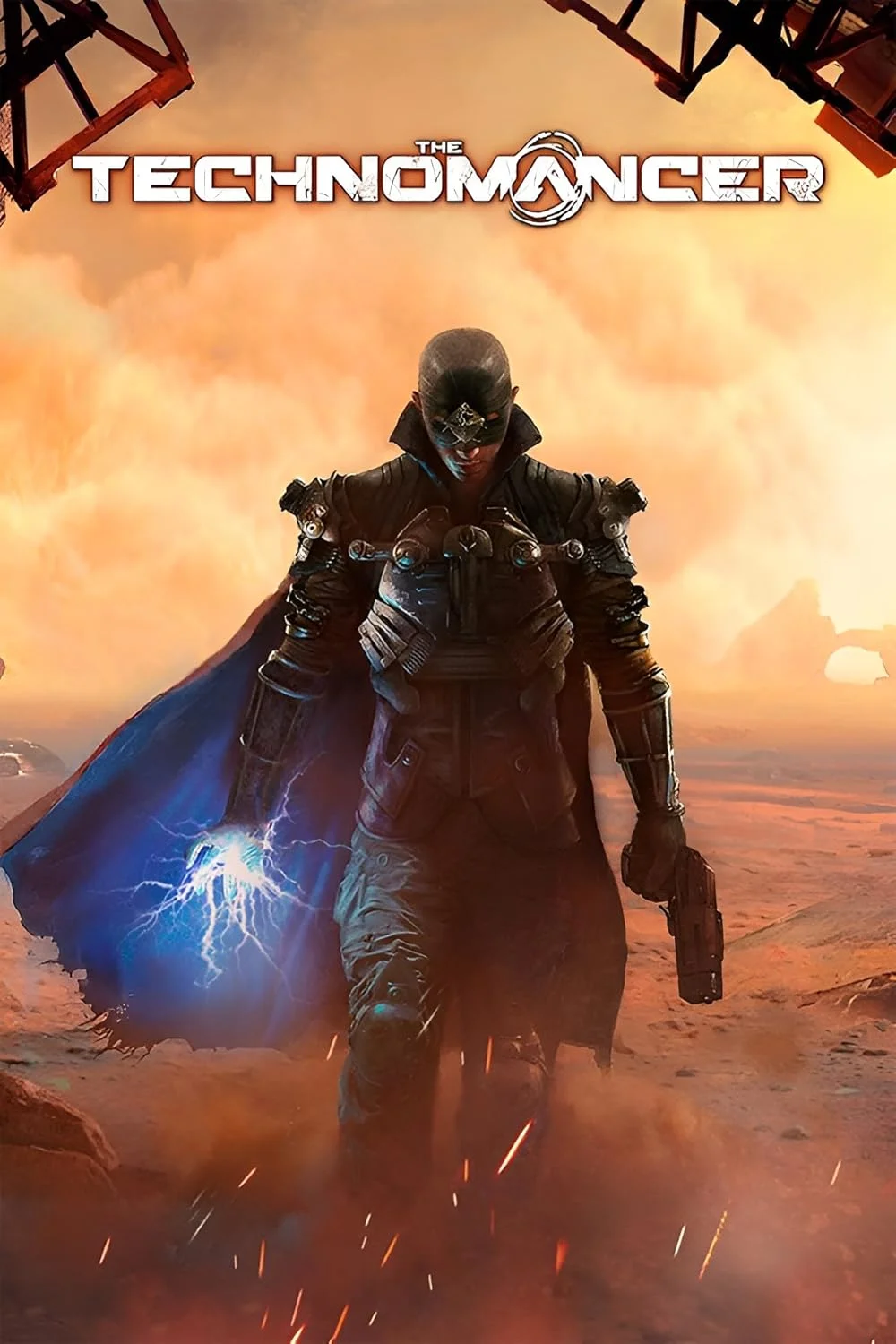
The Technomancer
This combination may struggle with this title, averaging 27 FPS. Consider upgrading hardware or significantly lowering settings.
Average FPS: resolution vs quality settings
| Ultra | High | Medium | Low | |
|---|---|---|---|---|
| 4K Ultra HD | 10 | 13 | 15 | 20 |
| 1440p QHD | 18 | 24 | 28 | 36 |
| 1080p Full HD | 28 | 36 | 42 | 55 |
Cell color: green is 120+ FPS, teal is 60+, amber is 30+, red is below 30.
The Technomancer with Intel Core i5-14600K + NVIDIA GeForce GTX 1050 Ti, In-Depth Analysis
FAQ
Q: What is the best resolution for this GPU/CPU combo in The Technomancer?
A: At 1920x1080 with Low settings, the combo achieves an average of 55 FPS, which is the highest measured result across all tested resolutions and presets. The 4K Ultra preset drops to just 10 FPS average, so the data clearly favors 1080p for playable performance.
Q: How much performance does the Ultra preset cost compared to Low at 1080p?
A: At 1920x1080, the Low preset delivers 55 FPS average, while Ultra drops to 28 FPS average. That is a reduction of 27 FPS, or roughly half the frame rate, when moving from the lowest to the highest quality settings.
Q: Does the GTX 1050 Ti have enough VRAM for The Technomancer?
A: The GPU has 4 GB of GDDR5 memory on a 128-bit bus with 112.1 GB/s bandwidth. The measured results show that even at 1080p Ultra, the average FPS is only 28, suggesting the memory capacity is sufficient but the overall GPU performance limits high-setting gameplay.
Q: What is the performance difference between 1440p and 4K at Medium settings?
A: At 2560x1440 Medium, the average FPS is 28 with a minimum of 23 and maximum of 32. At 3840x2160 Medium, the average drops to 15 FPS with a minimum of 13 and maximum of 17. The 4K resolution reduces the average by 13 FPS compared to 1440p.
Q: How does this combo rank among all tested configurations for this game?
A: The combo ranks 3636 out of 3696 tested combinations. This places it in the bottom percentile, with only 60 other combos performing worse in The Technomancer.
Q: Which preset offers the most consistent frame times at 1080p?
A: The Medium preset at 1920x1080 shows a minimum of 36 FPS and a maximum of 49 FPS, with an average of 42 FPS. This range of 13 FPS between min and max is the narrowest among all 1080p settings, indicating relatively stable performance.
GPU Role
The NVIDIA GeForce GTX 1050 Ti is built on the Pascal architecture with the GP107 chip, fabricated on a 14 nm process by Samsung. The GPU operates with a base clock of 1291 MHz and a boost clock of 1392 MHz, with memory running at 1752 MHz (7 Gbps effective). The 4 GB GDDR5 memory sits on a 128-bit bus, providing 112.1 GB/s of bandwidth. These specifications place the GPU at the 25th percentile among all GPUs in the benchmark database, with an average benchmark score of 4193.
The nearest rivals in the synthetic benchmark database are telling. The AMD Radeon R5 M330 scores 4170, just 0.6% lower, while the NVIDIA Quadro K2100M scores 4151, 1% lower. On the other side, the NVIDIA Quadro K3000M scores 4241, 1.1% higher, and the AMD Radeon Vega 3 scores 4268, 1.8% higher. This grouping shows the GTX 1050 Ti sits in a narrow performance band, and the measured results in The Technomancer reflect this modest positioning.
In The Technomancer specifically, the GPU's limitations become apparent immediately. The highest measured average FPS across any resolution and preset is 55, achieved only at 1080p Low. The GPU's 768 shading units, 48 texture mapping units, and 32 raster output units deliver a pixel rate of 44.54 GPixel/s and a texture rate of 66.82 GTexel/s. The FP32 performance of 2.138 TFLOPS is the raw computational ceiling that the game's rendering workload must fit within.
The VRAM situation deserves scrutiny. With 4 GB of GDDR5, the card meets the minimum expectations for a game from this era, but the data shows that memory bandwidth is not the primary constraint. At 4K Ultra, the average FPS is 10, which is so low that the game is effectively unplayable regardless of texture memory usage. The GPU's compute throughput, rather than its memory subsystem, appears to be the limiting factor in this title.
The 75 W TDP and lack of power connectors indicate this is a low-power design, and the suggested PSU of 250 W confirms that. The dual-slot cooler and 145 mm length make it a physically compact card, but the measured frame rates in The Technomancer show that compactness comes at a significant performance cost in demanding scenes.
Settings Recommendations
The measured data provides a clear hierarchy of performance across presets at each resolution. At 1080p, the Low preset delivers 55 FPS average, Medium drops to 42 FPS, High falls to 36 FPS, and Ultra bottoms out at 28 FPS. The step from Low to Medium costs 13 FPS, while the step from Medium to High costs 6 FPS, and High to Ultra costs 8 FPS.
For the best experience, the 1080p Low preset is the only configuration that approaches the 60 FPS threshold, achieving 55 FPS average. This is the only measured setting that provides what could be considered a smooth gameplay experience for an action RPG, where combat responsiveness matters. The Medium preset at 42 FPS is the second-best option, offering a compromise between visual quality and playability, with frame times ranging from 36 to 49 FPS.
At 1440p, the situation worsens considerably. The Low preset delivers 36 FPS average, Medium drops to 28 FPS, High falls to 24 FPS, and Ultra reaches only 18 FPS. None of these settings provide a consistently smooth experience, though Low is the most viable if the user insists on rendering above 1080p.
At 4K, all presets are effectively unplayable. The Low preset averages 20 FPS, Medium averages 15 FPS, High averages 13 FPS, and Ultra averages 10 FPS. Even the lowest quality setting cannot maintain a playable frame rate at this resolution, making 4K a non-option for this hardware combination.
The recommendation based on the data is straightforward: use 1080p Low for the best frame rate, or 1080p Medium if visual fidelity is prioritized over the additional 13 FPS. The Medium preset's minimum of 36 FPS and maximum of 49 FPS indicate that frame pacing will be more consistent than the Low preset's unmeasured variance, though both are viable.
Measured FPS Breakdown
The measured FPS data covers four resolutions and four quality settings, providing a complete matrix of 16 test points. At 1920x1080, the Low preset achieves 55 FPS average, which is the highest score in the entire dataset. The Medium preset at the same resolution delivers 42 FPS average with a minimum of 36 FPS and maximum of 49 FPS. High settings drop the average to 36 FPS, and Ultra falls further to 28 FPS.
Moving to 2560x1440, the performance scales down in a predictable manner. Low settings produce 36 FPS average, which is a 19 FPS reduction from 1080p Low. Medium settings at 1440p deliver 28 FPS average, matching the 1080p Ultra score exactly. The Medium preset shows a minimum of 23 FPS and maximum of 32 FPS at this resolution. High settings average 24 FPS, and Ultra drops to 18 FPS.
At 3840x2160, the performance degrades severely across all presets. Low settings average 20 FPS, which is the best 4K result. Medium settings average 15 FPS with a minimum of 13 FPS and maximum of 17 FPS. High settings average 13 FPS, and Ultra settings average 10 FPS. The gaps between presets narrow at 4K, suggesting that the GPU is saturated regardless of quality level.
The scaling pattern across resolutions reveals how the GPU handles increasing pixel counts. At 1080p Low, the 55 FPS average represents the baseline. Dropping to 1440p Low costs 19 FPS (a 34.5% reduction), and continuing to 4K Low costs another 16 FPS (a 44.4% reduction from 1440p). The percentage drops are consistent across settings, indicating that the GPU's fill rate and compute resources scale linearly with pixel count.
The Medium preset is the only one with complete min/max data at all three resolutions. At 1080p, the range is 36-49 FPS. At 1440p, the range is 23-32 FPS. At 4K, the range is 13-17 FPS. The narrowing range at higher resolutions suggests that the GPU becomes more consistently bottlenecked, with less variance in frame times.
How This Combo Ranks
The combo of Intel Core i5-14600K and NVIDIA GeForce GTX 1050 Ti ranks 3636 out of 3696 tested combinations in The Technomancer. This places it in the bottom 1.6% of all tested hardware configurations. Only 60 other combos perform worse in this game, meaning the vast majority of tested systems deliver higher frame rates.
This ranking is striking because the CPU is a high-end processor. The Intel Core i5-14600K sits at the 90th percentile among all CPUs, with an average benchmark score of 48618. Its nearest rivals include the Intel Xeon Gold 5318H at 48698 (0.2% higher), the AMD EPYC 4345P at 48470 (0.3% lower), the Intel Core Ultra 5 245HX at 48287 (0.7% lower), and the Intel Core Ultra 5 245 at 48995 (0.8% higher). This is a top-tier processor by any measure.
The GPU, however, is at the opposite end of the spectrum. The GTX 1050 Ti sits at the 25th percentile among all GPUs, with an average benchmark score of 4193. The combination of a 90th percentile CPU with a 25th percentile GPU creates a massive imbalance that the game's performance data reflects. The rank of 3636 out of 3696 indicates that the GPU is the overwhelming bottleneck in this configuration.
The comparison to other combos is implicit in the rank. Systems with more balanced CPU-GPU pairings, or those with stronger GPUs paired with weaker CPUs, would likely outperform this combination in The Technomancer. The game's performance is clearly GPU-bound, as evidenced by the dramatic FPS drops at higher resolutions, which place increasing demands on the graphics card rather than the processor.
The data suggests that this combo would benefit from a GPU upgrade more than any other change. The CPU's capabilities are effectively wasted in this game, as the GTX 1050 Ti cannot translate the processor's throughput into frame rate. The 3636 rank is a direct consequence of this mismatch.
CPU Role
The Intel Core i5-14600K is a 14-core, 20-thread processor from the Core 14th Gen series, built on the Raptor Lake architecture with a 10 nm process node. It has a base clock of 3.50 GHz and a boost clock of 5.30 GHz, with a TDP of 125 W. The cache hierarchy includes 80 KB L1 per core, 2 MB L2 per core, and 24 MB shared L3. The CPU supports both DDR4 and DDR5 memory in dual-channel configuration, and it includes UHD Graphics 770 integrated graphics.
The CPU's benchmark results are impressive. The Cinebench R23 multicore score is 24491, and the single-core score is 2064. The Geekbench multicore score is 16673 with a single-core score of 2491. The Passmark multithread score is 38682, and the single thread score is 4270. These scores place the CPU at the 90th percentile among all CPUs, with an average benchmark score of 48618.
In The Technomancer, the CPU's role is almost certainly secondary to the GPU. The measured FPS data shows a pattern consistent with GPU-bound performance: frame rates scale with resolution and settings in a way that tracks the GPU's capabilities. If the CPU were the bottleneck, we would expect to see more consistent frame rates across resolutions, since the CPU workload is largely independent of pixel count.
The CPU's 14 cores and 20 threads provide substantial processing power for game logic, physics, and AI systems. The 5.30 GHz boost clock ensures strong single-threaded performance, which is often critical for game simulation. The 24 MB L3 cache is shared across all cores, providing ample bandwidth for data sharing between threads.
The launch MSRP of the CPU is $319, and it is an unlocked multiplier part, meaning it can be overclocked. The production status is Active, and it was released on 2023-10-16. The socket is Intel Socket 1700, and the PCIe interface supports Gen 5 with 16 lanes from the CPU.
For The Technomancer, the CPU's capabilities far exceed what the GTX 1050 Ti can utilize. The game is not likely to stress a 14-core processor, especially at lower resolutions where the GPU is the limiting factor. The data does not include CPU-specific metrics for this game, but the overall performance pattern is consistent with a severe GPU bottleneck.
Resolution Scaling
The FPS data across resolutions reveals how the GPU becomes the limiting factor at higher pixel counts. At 1080p Low, the average FPS is 55. Moving to 1440p Low, the average drops to 36 FPS, a reduction of 19 FPS. Moving to 4K Low, the average drops to 20 FPS, another 16 FPS reduction. The percentage drops are 34.5% from 1080p to 1440p, and 44.4% from 1440p to 4K.
This scaling pattern is consistent with a GPU-bound scenario. The number of pixels at 1440p is 1.78 times that of 1080p, and 4K is 2.25 times that of 1440p. The FPS drops are not perfectly proportional to pixel count, but the trend is clear: higher resolutions require more fill rate, which the GTX 1050 Ti cannot provide.
At Medium settings, the same pattern holds. The 1080p average is 42 FPS, 1440p is 28 FPS, and 4K is 15 FPS. The drop from 1080p to 1440p is 14 FPS, and from 1440p to 4K is 13 FPS. The near-linear degradation suggests that the GPU's resources are being consumed proportionally by the increasing pixel workload.
The Ultra preset shows the most severe scaling. At 1080p, the average is 28 FPS. At 1440p, it drops to 18 FPS, a 10 FPS reduction. At 4K, it drops to 10 FPS, another 8 FPS reduction. The absolute FPS values are so low at 4K that the game is unplayable, but the relative scaling is consistent with the other presets.
The resolution scaling data provides insight into what is limiting performance. If the CPU were the bottleneck, we would expect the FPS to remain relatively constant as resolution increases, since the CPU workload does not scale with pixel count. Instead, the FPS drops significantly at each resolution step, confirming that the GTX 1050 Ti's rendering capabilities are the constraint.
The minimum and maximum FPS data at Medium settings further support this conclusion. At 1080p, the range is 36-49 FPS. At 1440p, the range is 23-32 FPS. At 4K, the range is 13-17 FPS. The absolute values shift downward, but the spread between min and max remains similar, indicating that the GPU is consistently saturated at each resolution.
The data implies that users with this combo should stay at 1080p to achieve acceptable frame rates. The 1440p and 4K resolutions demand more from the GPU than it can deliver, and the FPS drops accordingly. The CPU's power is untapped at these settings, as the GPU is the primary bottleneck across all measured configurations.
Hardware Specifications
Intel Core i5-14600K
NVIDIA GeForce GTX 1050 Ti
FPS Benchmarks by Resolution & Settings
Performance data for Intel Core i5-14600K + NVIDIA GeForce GTX 1050 Ti in The Technomancer
| Resolution | Settings | Avg FPS |
|---|---|---|
| 3840x2160 | Low | 20.0 |
| 3840x2160 | Medium | 15.0 |
| 3840x2160 | High | 13.0 |
| 3840x2160 | Ultra | 10.0 |
| 2560x1440 | Low | 36.0 |
| 2560x1440 | Medium | 28.0 |
| 2560x1440 | High | 24.0 |
| 2560x1440 | Ultra | 18.0 |
| 1920x1080 | Low | 55.0 |
| 1920x1080 | Medium | 42.0 |
| 1920x1080 | High | 36.0 |
| 1920x1080 | Ultra | 28.0 |
The Technomancer with ii5-14600K + Other GPUs
See how The Technomancer performs with the same CPU but different graphics cards.
The Technomancer with GTX 1050 Ti + Other CPUs
See how The Technomancer performs with the same GPU but different processors.
Other Games with ii5-14600K + GTX 1050 Ti
Explore FPS benchmarks for other games using this same hardware combination.