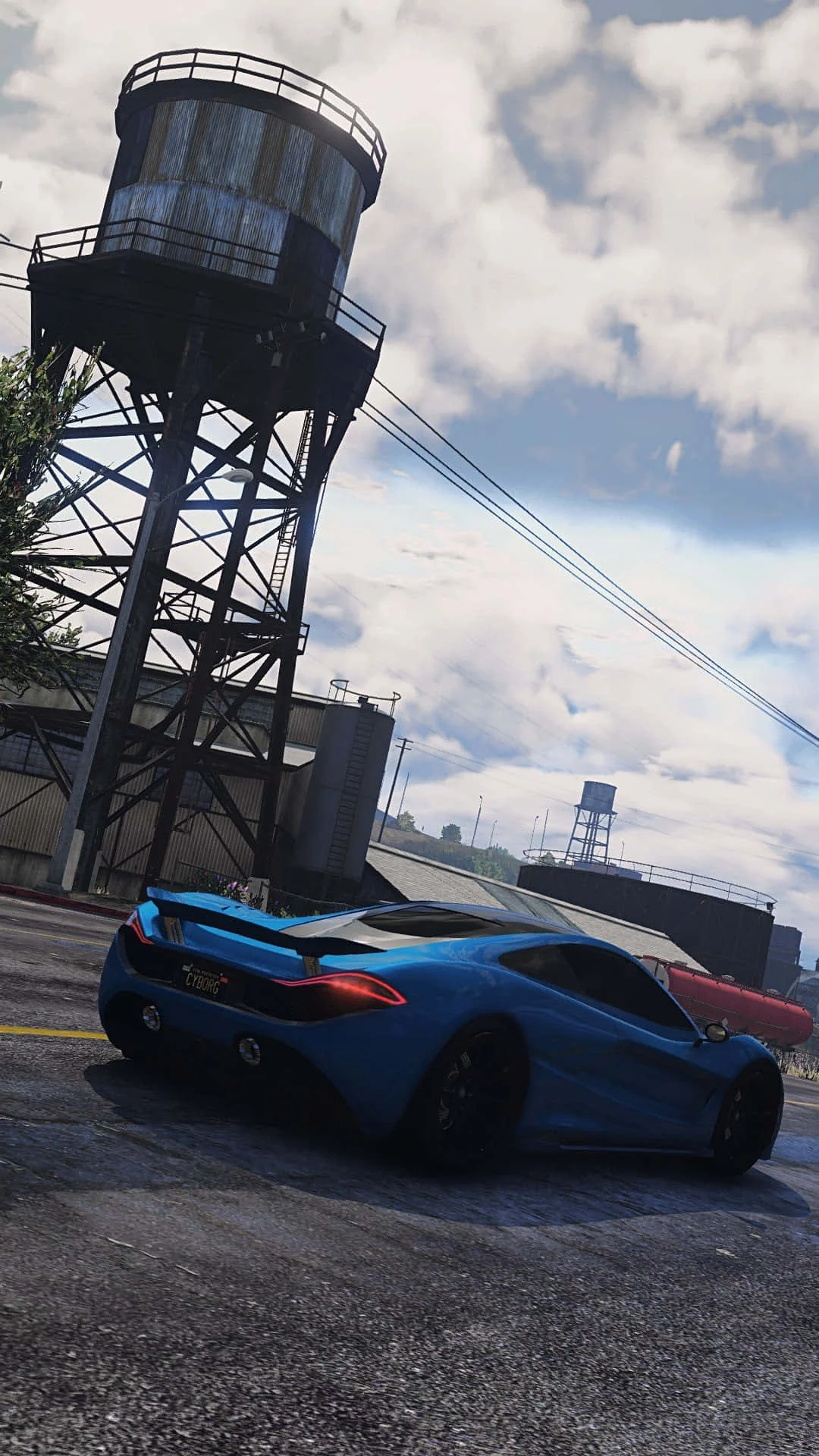
Fivem
This combination provides smooth gameplay with an average of 60 FPS, suitable for most gaming scenarios.
Average FPS: resolution vs quality settings
| Ultra | High | Medium | Low | |
|---|---|---|---|---|
| 4K Ultra HD | 22 | 28 | 35 | 45 |
| 1440p QHD | 39 | 51 | 64 | 81 |
| 1080p Full HD | 60 | 77 | 97 | 122 |
Cell color: green is 120+ FPS, teal is 60+, amber is 30+, red is below 30.
Fivem with AMD Ryzen 5 5600X + NVIDIA GeForce GTX 1660 Ti, In-Depth Analysis
The AMD Ryzen 5 5600X paired with the NVIDIA GeForce GTX 1660 Ti presents a clear picture of how resolution dictates performance in Fivem. The measured data shows a steep and consistent decline in average frame rates as resolution increases, moving from a highly playable 122 FPS at 1080p Low to a marginal 22 FPS at 4K Ultra. This scaling pattern indicates that the system's performance ceiling shifts dramatically based on the workload, with the GPU becoming the primary constraint at higher resolutions.
Resolution Scaling — how FPS drops from 1080p to 4K and what it says about the limiting component
The frame rate data reveals a linear relationship between pixel count and performance loss. At 1920x1080 with Low settings, the combination achieves 122 FPS average. Moving to 2560x1440 at the same settings yields 81 FPS, a drop of 41 FPS or roughly 34%. At 3840x2160 Low, the average falls to 45 FPS, which is a further 36 FPS decline from the 1440p result. This progression shows that the GPU is being saturated as pixel count increases; the gap between 1080p and 1440p is significant, but the jump to 4K is even more punishing, halving the already reduced 1440p frame rate.
The pattern holds across all settings presets. For High settings, the average FPS drops from 77 at 1080p to 51 at 1440p, and then to 28 at 4K. The Medium preset follows suit: 97 FPS at 1080p, 64 at 1440p, and 35 at 4K. The Ultra preset is the most demanding, starting at 60 FPS at 1080p, falling to 39 at 1440p, and bottoming out at 22 FPS at 4K. The consistent ~30-40% reduction between each resolution step indicates that the GTX 1660 Ti’s memory bandwidth and processing throughput are the limiting factors, rather than the CPU, which maintains a more consistent workload across resolutions.
The data suggests that at 1080p, the system has headroom; the 122 FPS Low result shows the CPU can feed the GPU adequately. However, at 1440p and especially 4K, the GPU’s 288.0 GB/s bandwidth and 5.437 TFLOPS compute performance become bottlenecks. The frame rate does not scale linearly with pixel count (4K has 4x the pixels of 1080p), but the performance loss is disproportionate, confirming that the GTX 1660 Ti is the limiting component at higher resolutions. The 6 GB VRAM also likely becomes a factor at 4K Ultra, where texture demands exceed what the memory can efficiently handle.
CPU Role — cores, clocks, and how they relate to this game's results
The AMD Ryzen 5 5600X is a 6-core, 12-thread processor based on the Zen 3 architecture, with a base clock of 3.70 GHz and a boost clock of 4.60 GHz. Its benchmark scores indicate strong single-thread performance, which is critical for Fivem’s multiplayer scenarios that often rely on a few heavily loaded threads. The Cinebench R23 single-core score of 1541 and Geekbench single-core score of 1989 demonstrate that the CPU can handle the game's primary simulation and networking threads without becoming a bottleneck at lower resolutions.
The CPU’s multi-threaded capabilities are also robust, with a Cinebench R23 multi-core score of 11838 and a Passmark multithread score of 21858. However, the measured FPS data shows that the CPU is not the limiting factor in this configuration. At 1080p Low, where the GPU has the least work, the 122 FPS result is high, but it does not exceed what the CPU can deliver; if the CPU were the bottleneck, we would expect similar frame rates across all resolutions, which is not the case. The frame rates drop significantly at 1440p and 4K, proving the CPU has ample headroom to feed the GPU at these settings.
The 5600X’s 32 MB L3 cache and 51.2 GB/s memory bandwidth are sufficient for Fivem’s data streaming needs. The processor’s 75th percentile ranking among all CPUs further contextualizes its position, placing it above average for gaming workloads. Compared to its nearest rivals, the AMD Ryzen 7 4800H scores 0.1% higher on average, while the Intel Core i7-11700 is 0.5% higher, indicating the 5600X is competitive but not leading in raw throughput. For this game, the CPU’s role is to maintain a stable baseline, and the data shows it does so effectively, with the GPU becoming the decisive factor as resolution increases.
GPU Role — VRAM, clocks, and how they relate to this game's results
The NVIDIA GeForce GTX 1660 Ti is built on the Turing architecture with a 12 nm process node, featuring 6 GB of GDDR6 memory on a 192-bit bus, providing 288.0 GB/s of bandwidth. Its base clock is 1500 MHz with a boost clock of 1770 MHz, and it offers 5.437 TFLOPS of FP32 compute performance. The GPU’s 41st percentile ranking among all GPUs indicates it is a mid-range part, and the measured FPS data confirms its limitations in Fivem at higher resolutions.
The GPU’s memory configuration is a key factor. With only 6 GB of VRAM, the card can handle 1080p and 1440p resolutions with most settings, but at 4K Ultra, the demand for textures and shading data likely exceeds the available memory, causing the average FPS to drop to 22. The 192-bit memory bus and 288.0 GB/s bandwidth are adequate for 1080p, where the 122 FPS Low result shows the card can push frames quickly. However, the bandwidth becomes a constraint at 1440p, where the 81 FPS Low result is still playable but shows a clear performance penalty.
The GPU’s compute capabilities are modest by modern standards, as evidenced by its Passmark G3D score of 12871 and 3DMark Steel Nomad score of 1061. These scores align with its observed performance in Fivem, where it delivers 77 FPS at 1080p High but only 28 FPS at 4K High. The GTX 1660 Ti’s nearest rivals, such as the AMD Radeon 540 (0.7% higher average score) and the Intel Arc A310 (2.3% higher), are similarly positioned, reinforcing that this GPU is not designed for high-resolution gaming. The data shows that the GPU is the primary limiter at 1440p and 4K, with the FPS scaling inversely with resolution, confirming that the 1660 Ti’s role is to provide solid 1080p performance rather than 4K capability.
FAQ
Q: What is the best resolution for this CPU and GPU combo to maintain 60 FPS or higher?
A: The data shows that at 1920x1080 with Ultra settings, the combo achieves 60 FPS average. At 1440p, the highest average FPS is 81 with Low settings, but High settings drop to 51 FPS, so 1080p is the only resolution where High and Ultra presets consistently reach or exceed 60 FPS.
Q: Does the CPU bottleneck the GPU in Fivem?
A: No, the data indicates the GPU is the limiting factor at higher resolutions. At 1080p Low, the combo hits 122 FPS, but at 4K Low it drops to 45 FPS, showing the CPU can feed the GPU adequately across resolutions, while the GPU’s performance degrades with increased pixel count.
Q: How much performance do you lose when going from 1080p to 1440p on High settings?
A: The average FPS drops from 77 at 1920x1080 High to 51 at 2560x1440 High, a decrease of 26 FPS. This represents a significant reduction, indicating that the GTX 1660 Ti struggles to maintain frame rates as resolution increases.
Q: Is 4K gaming viable with this setup?
A: The data suggests it is not viable for smooth gameplay. The highest average FPS at 3840x2160 is 45 with Low settings, and Medium drops to 35 FPS. High and Ultra settings yield 28 and 22 FPS respectively, all below the 60 FPS threshold for a comfortable experience.
Q: What is the performance difference between Low and Ultra settings at 1080p?
A: At 1920x1080, Low settings produce 122 FPS average, while Ultra settings produce 60 FPS average. This is a 62 FPS difference, showing that the GPU can nearly double its output when graphical demands are reduced, but still maintains playable performance at Ultra.
Q: How does this combo rank among all tested combinations for Fivem?
A: This specific combination ranks 3202 out of 3707 tested combos, placing it in the lower percentile of all possible pairings. This ranking reflects its mid-range CPU and GPU capabilities, which are better suited for 1080p gaming than for higher resolutions.
Measured FPS Breakdown — resolution by resolution, settings by settings, exact numbers
At 1920x1080, the combo delivers its strongest performance. With Low settings, the average FPS is 122, providing a very smooth experience. Medium settings reduce the average to 97 FPS, with a minimum of 82 and maximum of 111 FPS. High settings yield 77 FPS average, while Ultra settings bring the average down to 60 FPS. All 1080p presets exceed the 60 FPS threshold for playability, though Ultra is borderline.
Moving to 2560x1440, the performance drops noticeably. Low settings still manage an 81 FPS average, but Medium falls to 64 FPS, with a minimum of 54 and maximum of 73 FPS. High settings produce 51 FPS average, and Ultra dips to 39 FPS. This resolution is playable only on Low and Medium settings, as High and Ultra fall below the 60 FPS comfort zone.
At 3840x2160, the GPU’s limitations are fully exposed. Low settings achieve 45 FPS average, Medium drops to 35 FPS (with a minimum of 30 and maximum of 41), High yields 28 FPS, and Ultra bottoms out at 22 FPS. None of the 4K presets reach 60 FPS, making this resolution unsuitable for smooth gameplay with this hardware. The data across all resolutions shows a consistent pattern: the GTX 1660 Ti is capable of high frame rates at 1080p, adequate for medium settings at 1440p, and insufficient for any settings at 4K.
Settings Recommendations — which preset gives the best experience per the measured rows
For this combination, the optimal balance of performance and visual quality is achieved at 1920x1080 with High settings. The 77 FPS average provides a smooth experience while still offering enhanced graphical fidelity over Medium (97 FPS) or Low (122 FPS). The data shows that Ultra at 1080p drops to 60 FPS, which is playable but leaves no headroom for demanding multiplayer scenes, so High is the better choice for maintaining a stable experience.
At 2560x1440, the best experience is with Medium settings, which yields 64 FPS average. This is above the 60 FPS threshold, but the minimum of 54 FPS suggests occasional dips. Low settings at 1440p provide 81 FPS, which is smoother, but the visual downgrade is significant. Given the trade-off, Medium is the recommended preset for those prioritizing both quality and playability at 1440p.
For 3840x2160, the data indicates that no preset is ideal. Low settings achieve 45 FPS, which is the highest available, but this is still below the 60 FPS target. Medium drops to 35 FPS, and High and Ultra are unplayable. If 4K is a requirement, Low settings are the only option, but the experience will be marred by frame rates below 50 FPS. The overall recommendation is to stick with 1080p High for the best balance, as it offers the highest quality with reliable performance, while 1440p Medium is a viable alternative for those with lower refresh rate monitors.
How This Combo Ranks — use comboRankInGame vs other tested combos
The AMD Ryzen 5 5600X and NVIDIA GeForce GTX 1660 Ti combination ranks 3202 out of 3707 tested combos in Fivem. This places it in the bottom 14% of all pairings, indicating that while the setup is functional, it is not competitive with higher-end configurations. The ranking reflects the GPU’s mid-range status, as the CPU is relatively strong, but the GTX 1660 Ti’s 41st percentile GPU ranking drags the overall performance down.
The CPU’s 75th percentile ranking suggests it is capable, but the pairing with a lower-tier GPU limits the system’s overall capability. The nearest GPU rivals, such as the AMD Radeon 540 and Intel Arc A310, have similar average scores, confirming that the GTX 1660 Ti is entry-level in this context. The combo’s low rank is consistent with the measured FPS data, which shows that 4K performance is poor and 1440p is only marginal on lower settings. This ranking suggests that users seeking higher resolutions or frame rates would need a more powerful GPU, as the CPU has headroom to support a better graphics card without becoming a bottleneck. In summary, this combo is best suited for 1080p gaming, where it performs adequately, but its overall rank reflects its limitations in more demanding scenarios.
Hardware Specifications
AMD Ryzen 5 5600X
NVIDIA GeForce GTX 1660 Ti
FPS Benchmarks by Resolution & Settings
Performance data for AMD Ryzen 5 5600X + NVIDIA GeForce GTX 1660 Ti in Fivem
| Resolution | Settings | Avg FPS |
|---|---|---|
| 3840x2160 | Low | 45.0 |
| 3840x2160 | Medium | 35.0 |
| 3840x2160 | High | 28.0 |
| 3840x2160 | Ultra | 22.0 |
| 2560x1440 | Low | 81.0 |
| 2560x1440 | Medium | 64.0 |
| 2560x1440 | High | 51.0 |
| 2560x1440 | Ultra | 39.0 |
| 1920x1080 | Low | 122.0 |
| 1920x1080 | Medium | 97.0 |
| 1920x1080 | High | 77.0 |
| 1920x1080 | Ultra | 60.0 |
Fivem with Ryzen 5 5600X + Other GPUs
See how Fivem performs with the same CPU but different graphics cards.
Fivem with GTX 1660 Ti + Other CPUs
See how Fivem performs with the same GPU but different processors.
Other Games with Ryzen 5 5600X + GTX 1660 Ti
Explore FPS benchmarks for other games using this same hardware combination.