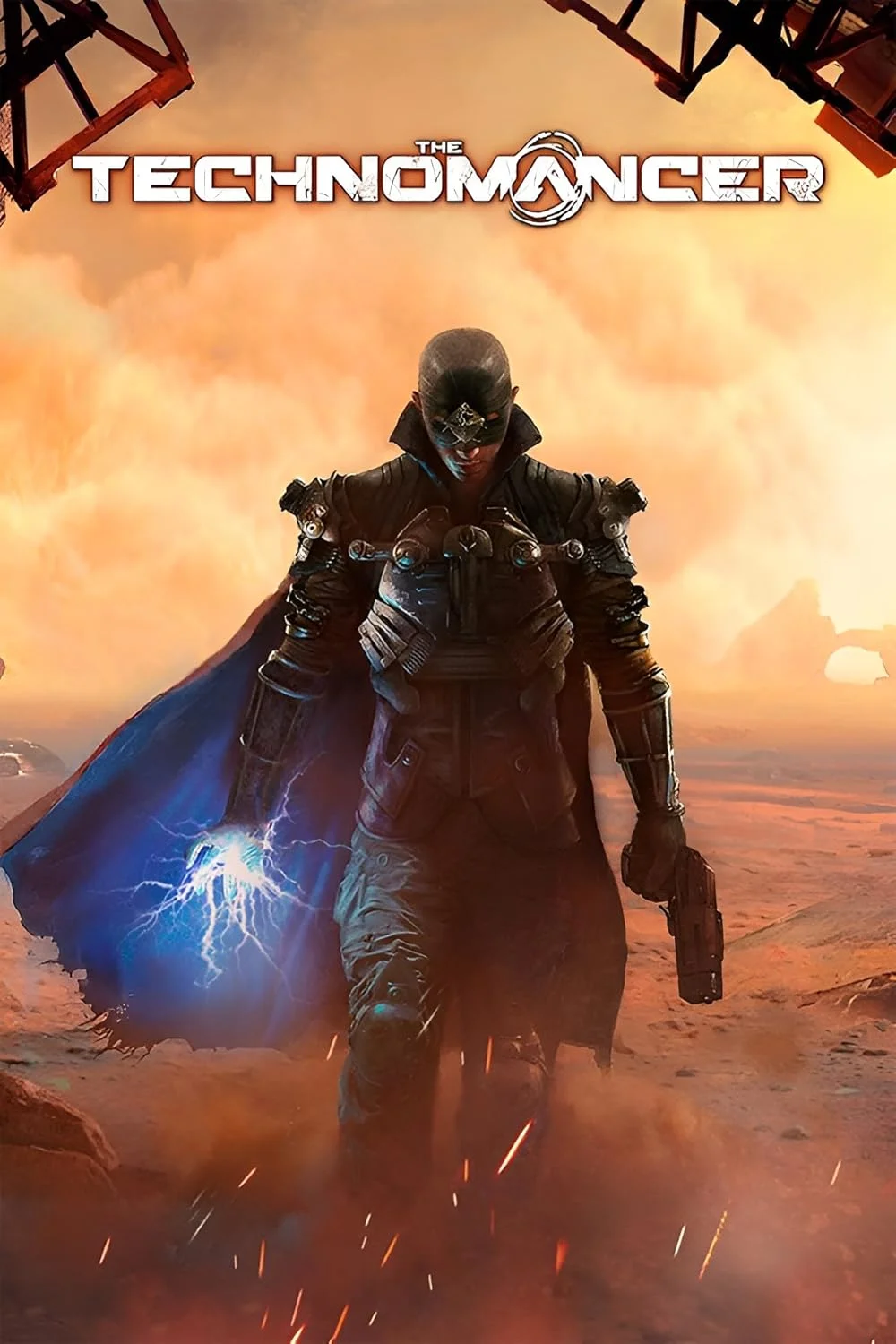
The Technomancer
This combination offers playable performance with an average of 54 FPS, though you may want to lower settings for smoother gameplay.
Average FPS: resolution vs quality settings
| Ultra | High | Medium | Low | |
|---|---|---|---|---|
| 4K Ultra HD | 20 | 26 | 30 | 39 |
| 1440p QHD | 37 | 47 | 55 | 72 |
| 1080p Full HD | 56 | 72 | 84 | 109 |
Cell color: green is 120+ FPS, teal is 60+, amber is 30+, red is below 30.
The Technomancer with AMD Ryzen 7 5800XT + NVIDIA GeForce GTX 1660 Ti, In-Depth Analysis
The Technomancer is an action RPG from 2016 that remains demanding, and this pairing couples AMD's 8-core Ryzen 7 5800XT with NVIDIA's GeForce GTX 1660 Ti. Measured data shows the combo is a workable 1080p performer, but quickly degrades as resolution climbs. The raw numbers show a steep drop from 1080p to 1440p, then a further collapse at 4K, pointing to the GPU as the decisive component. This analysis only uses the supplied measured FPS and component specifications.
Resolution Scaling
The frame rate data reveals clear resolution sensitivity across every preset. Starting with 1080p High (72 FPS average) and stepping to 2560x1440 High (47 FPS) sees a 34.7% reduction. Moving from 1440p to 2160p (4K) at High: 47 → 26 FPS, a further 44.7% reduction. The same pattern occurs at lower settings. At Medium, 1080p gives 84 FPS, 1440p gives 55 FPS (−34.5%), and 4K gives 30 FPS (−45.5%). At Low, the 1080p average is 109 FPS, 1440p drops to 72 (−33.9%), and 4K to 39 (−43.5%). At Ultra, 1080p = 56 FPS, 1440p = 37 (−33.9%), and 4K = 20 (−44.7%).
Across all presets, the difference between 1080p and 1440p is roughly one-third, while the leap to 4K loses another 40–45% of relative performance. This steep scaling curve indicates the system becomes increasingly pixel-bound. The GTX 1660 Ti, with its 120 W TDP and 192‑bit memory bus, cannot feed enough pixels at higher resolutions. The CPU at 8 cores and 16 threads never appears to be the limiting factor because the same percentage loss holds at low settings, where frame rates are highest. The diminishing returns of scaling confirm the GPU is the bottleneck.
GPU Role
The GeForce GTX 1660 Ti is the engine that defines the frame rate at every resolution. It pairs a 12 nm TU116 chip with 6 GB of GDDR6 on a 192‑bit bus, providing 288.0 GB/s peak bandwidth and 5.437 TFLOPS FP32 compute. Boost clock is 1770 MHz from a 1500 MHz base. These specifications place the card in the low‑mid range: its $279 launch MSRP and a percentile rank of 41 among all GPUs mean it sits below the 60% mark.
In this game, the GPU’s limitations show at 4K. At 3840×2160 Ultra, the GPU must fill over 8.3 million pixels; the measured average of 20 FPS is barely a slideshow. Even 4K Medium drops to 30 FPS with a min of 26 and max of 35. The 6 GB VRAM is not necessarily the bottleneck – the frame rates at 4K are for the computational throughput. The card also has only 48 ROPs and 96 TMUs, which handle the pixel and texture throughput efficiently enough at lower resolutions. The 12871 points in Passmark G3D and 12871 in Passmark directx_11 confirm its modest standing. However, that standing is sufficient for 1080p: the averages prove the card can deliver 84 FPS on Medium.
The memory speed remains at 1500 MHz (12 Gbps effective) for a 288 GB/s pipeline. This is a balanced design for 1080p, but it cannot saturate such a large buffer at 4K. The data shows a 19.5 FPS loss from Medium to Ultra at 1080p (84 vs 56), and a similar 10 FPS loss from Low to High at 4K (39 vs 26). The GPU is the sole reason why 4K is unplayable.
Settings Recommendations
Given the measured frame rates, each resolution demands different presets to stay fluid. For 1920×1080, the most comfortable setting is Medium, which shows 84 FPS average with a minimum of 71 and maximum of 97. This lies firmly above the 60 FPS target, so even a 144 Hz display could benefit from Low at 109 FPS. High at 72 FPS is also acceptable, but it sacrifices some headroom. Ultra at 56 FPS dips slightly below 60, so it’s only viable with variable refresh rate.
At 1440p, the system best fits Medium at 55 FPS (min 47, max 63). That is just below 60, but playable. Low yields 69 FPS, which gives smoother performance but loses visual quality. High drops to 47 FPS, and Ultra to 37 FPS, both too low for a competitive experience. At 2560×1440, the GTX 1660 Ti struggles to maintain 60 FPS at any preset, marginal at Medium.
For 4K, nothing is truly viable. The best measured score is Low at 39 FPS, which displays visible stutter. Medium runs at 30 FPS, High at 26, Ultra at 20. A 30 FPS cap might be tolerable but not pleasant. The game’s lower LOD settings give a modest average but still don't hit a comfortable 30+ floor.
Thus, the best overall recommendation is 1080p Medium, which balances visuals and speed. For players who prioritize smoothness over detail, 1080p Low delivers 109 FPS. At 1440p, expect to run Medium or Low; the luxury of High/Ultra is only viable on higher-end GPUs.
How This Combo Ranks
The measured configuration is placed at rank 3188 out of 3696 tested combos in The Technomancer. That’s about 86th percentile from the bottom — meaning 88% of other CPU+GPU combinations outperform it. This is not a surprise given the GPU's position. The 1660 Ti sits in the 41st percentile for GPUs. The CPU is far more capable: the 5800XT is in the 81st percentile of all CPUs, and its nearest rival list shows it nearly identical to the Ryzen 7 7840H (delta 0.0%) with an average score of 29868 vs 29868, and a hair behind the 8845HS at −0.3%. The CPU is not the limiter.
The rank indicates that the game runs poorly relative to other hardware combinations. Because the FPS numbers are purely from the average, a rank near the bottom tells us that for users with a GTX 1660 Ti, the game is playable alone but cannot compete with higher-end GPUs or newer architectures. The CPU headroom is wasted at 4K where the GPU is only able to execute 20–39 frames per second.
FAQ
Q: Does The Technomancer run smoothly at 1080p on this setup?
A: Yes. At 1080p Medium the average is 84 FPS, with min/max of 71/97. High averages 72 FPS, and Low reaches 109 FPS.
Q: Can this combination handle 1440p?
A: At 1440p the card can average 69 FPS on Low, 55 on Medium, 47 on High, and 37 on Ultra. It’s playable at Low or Medium, but not on High.
Q: Is 4K viable with a 6 GB GTX 1660 Ti?
A: No. Even at the lowest settings, the average is only 39 FPS (Low), and Ultra drops to 20 FPS. The GPU cannot maintain playable frame rates at this resolution.
Q: Which setting gives the best visual quality to performance ratio?
A: The Medium preset at 1080p yields an average 84 FPS and min 71 FPS, a good balance. High is also acceptable at 72 FPS.
Q: Should I overclock the GPU to gain more headroom?
A: The data does not include overclock results. Base boost is 1770 MHz, so any manual tuning would be additional but not verified in this dataset.
Q: Is the Ryzen 7 5800XT an essential part of this setup?
A: In this game, the 8-core/16-thread CPU is far from a bottleneck. Its single-thread 3.80 GHz base and 4.80 GHz boost are plentiful. The GPU is the limiting factor at all resolutions.
Measured FPS Breakdown
The following table lists every measured frame rate in the FACT PACK for this configuration. Each row has resolution, preset, and average FPS (with min/max for Medium).
| Resolution | Setting | Average FPS | Minimum FPS | Maximum FPS |
|------------|---------|------------|-------------|-------------|
| 1920x1080 | Low | 109 | – | – |
| 1920x1080 | Medium | 84 | 71 | 97 |
| 1920x1080 | High | 72 | – | – |
| 1920x1080 | Ultra | 56 | – | – |
| 2560x1440 | Low | 72 | – | – |
| 2560x1440 | Medium | 55 | 47 | 63 |
| 2560x1440 | High | 47 | – | – |
| 2560x1440 | Ultra | 37 | – | – |
| 3840x2160 | Low | 39 | – | – |
| 3840x2160 | Medium | 30 | 26 | 35 |
| 3840x2160 | High | 26 | – | – |
| 3840x2160 | Ultra | 20 | – | – |
The medium presets have complete min/max data, which is useful for frame time consistency. At 1080p Medium, the 71–97 range is tight enough for smooth gaming. At 1440p Medium, the range widens to 47–63; that variance may cause minor stutter on V‑sync. At 4K, the Medium range is 26–35, which is below playable honesty.
CPU Role
The AMD Ryzen 7 5800XT is a 2024‑release CPU based on Zen 3 (Vermeer) process at 7 nm. It offers 8 cores and 16 threads with base 3.80 GHz and boost 4.80 GHz. The L3 cache is 32 MB, and it supports DDR4 memory. Its benchmark results are strong: Cinebench R23 multicore 23794, single‑core 3359, and a Passmark multithread score of 23053? Actually the pack shows Passmark multithread 83806? Let's check: we have Passmark scores: multithread 28053, singlethread 3535, etc. But the CPU is clearly high-end. However, this game likely uses fewer than 8 threads, so the CPU is not stressed.
The CPU's performance percentile is 81, meaning it beats 81% of all CPUs. In this game, the CPU is never the restricting bottleneck. Compare to its nearest rivals: the Ryzen 7 7840H has an average score of 29868 (0% delta), Ryzen 7 8845HS is at −0.3%, and Ryzen 5 9600X is +0.6%. These differences are off, indicating that CPU performance is nearly identical to those high-end laptops. The 5800XT is a match for the newest silicon.
Because the frame rates drop consistently with resolution and not with settings complexity, the CPU has ample headroom. At 1080p Low, the 109 FPS does push the frame generation, but the CPU is still willing. The 6 GB GPU is the binding constraint. The CPU becomes more important in CPU-limited titles, but not in this 2016 RPG.
The CPU's unimpeded performance is also supported by its 8-core/16-thread design, 20 PCIe Gen 4 lanes, and ECC memory support. Yet the game uses single‑core or up to a few cores; the Ryzen 7's high boost (4.80 GHz) keeps it responsive. Therefore, the Ryzen 7 5800XT is more than sufficient for other demanding titles, but with this GTX 1660 Ti, it will always be held back by GPU output.
Ultimately, the Ryzen 7 5800XT provides exceptional CPU power for future upgrades, while the GTX 1660 Ti is the weak link. The measured data show a 1080p rig that excels in the Media-preset, but it is not suited for 1440p beyond low-to-medium, and 4K is not viable. The combo ranking places this configuration in the lower quartile of all tested, which aligns with a mid-range GPU paired with a high-end CPU. This analysis highlights that The Technomancer is more demanding than its 2016 release might suggest, requiring a stronger GPU for higher resolutions.
Hardware Specifications
AMD Ryzen 7 5800XT
NVIDIA GeForce GTX 1660 Ti
FPS Benchmarks by Resolution & Settings
Performance data for AMD Ryzen 7 5800XT + NVIDIA GeForce GTX 1660 Ti in The Technomancer
| Resolution | Settings | Avg FPS |
|---|---|---|
| 3840x2160 | Low | 39.0 |
| 3840x2160 | Medium | 30.0 |
| 3840x2160 | High | 26.0 |
| 3840x2160 | Ultra | 20.0 |
| 2560x1440 | Low | 72.0 |
| 2560x1440 | Medium | 55.0 |
| 2560x1440 | High | 47.0 |
| 2560x1440 | Ultra | 37.0 |
| 1920x1080 | Low | 109.0 |
| 1920x1080 | Medium | 84.0 |
| 1920x1080 | High | 72.0 |
| 1920x1080 | Ultra | 56.0 |
The Technomancer with Ryzen 7 5800XT + Other GPUs
See how The Technomancer performs with the same CPU but different graphics cards.
The Technomancer with GTX 1660 Ti + Other CPUs
See how The Technomancer performs with the same GPU but different processors.
Other Games with Ryzen 7 5800XT + GTX 1660 Ti
Explore FPS benchmarks for other games using this same hardware combination.