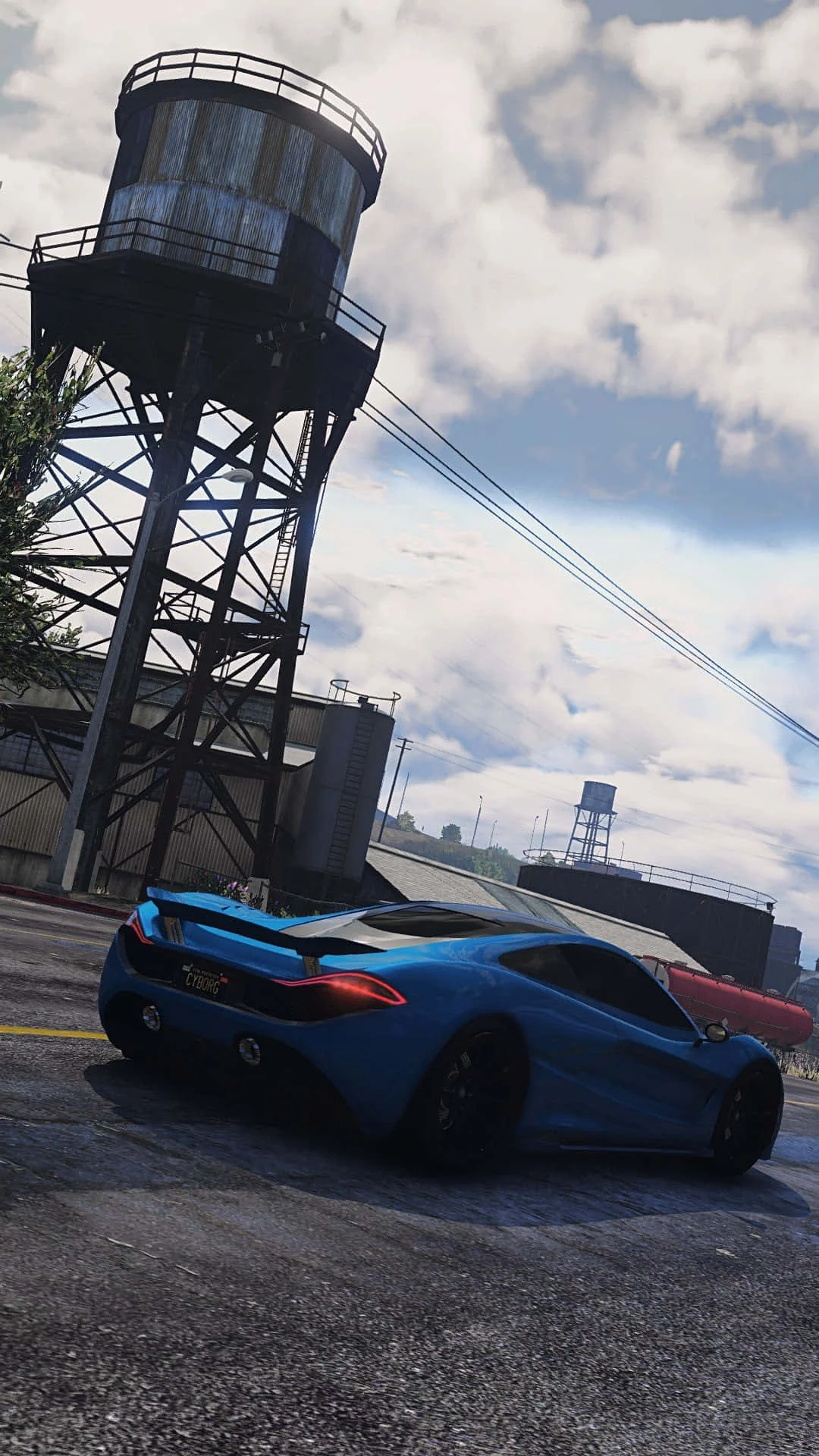
Fivem
This combination provides smooth gameplay with an average of 79 FPS, suitable for most gaming scenarios.

Average FPS: resolution vs quality settings
| Ultra | High | Medium | Low | |
|---|---|---|---|---|
| 4K Ultra HD | 29 | 37 | 47 | 59 |
| 1440p QHD | 52 | 67 | 84 | 107 |
| 1080p Full HD | 79 | 102 | 128 | 162 |
Cell color: green is 120+ FPS, teal is 60+, amber is 30+, red is below 30.
Fivem with Intel Core Ultra 7 265HX + AMD Radeon RX 7800M, In-Depth Analysis
Fivem is a demanding multiplayer title that stresses both CPU and GPU heavily, especially at higher resolutions. This analysis covers the Intel Core Ultra 7 265HX paired with the AMD Radeon RX 7800M, using measured FPS data to show exactly how this combo behaves across settings and resolutions.
Resolution Scaling
The measured FPS data shows a clear and steep drop as resolution increases from 1920x1080 to 3840x2160. At High settings, the average FPS falls from 102 at 1080p to 67 at 1440p, then to 37 at 4K. That is a 35% reduction going from 1080p to 1440p, and a further 45% drop from 1440p to 4K. The scaling is not linear, and the gap widens at the highest resolution, which points to the GPU becoming the primary limiting factor at 4K.
Looking at Low settings, the pattern is similar but with higher absolute numbers. The average FPS is 162 at 1080p, dropping to 107 at 1440p and 59 at 4K. This represents a 34% drop from 1080p to 1440p, and a 45% drop from 1440p to 4K. The relative scaling is nearly identical to High settings, which suggests that the performance ceiling at 1080p is not purely GPU-bound — the CPU is still able to feed the GPU enough frames at lower resolutions.
The Medium settings row provides min and max FPS data that reveals more about frame pacing. At 1080p Medium, the average is 128 FPS with a min of 109 and max of 147. At 1440p Medium, the average drops to 84 FPS with a min of 72 and max of 97. At 4K Medium, the average is 47 FPS with a min of 40 and max of 54. The min-to-max spread stays relatively consistent around 15-20 FPS across resolutions, indicating that the bottleneck shifts smoothly rather than causing stutter spikes.
The Ultra settings data shows the steepest decline. The average FPS is 79 at 1080p, 52 at 1440p, and 29 at 4K. The drop from 1080p to 1440p is 34%, and from 1440p to 4K is 44%. These percentages are remarkably consistent across all four settings presets, which is a strong indicator that the scaling behavior is dominated by the GPU's fill rate and memory bandwidth as resolution increases.
At 1080p, even Ultra settings deliver 79 FPS on average, which is playable for most multiplayer scenarios. The CPU, with its 20 cores and 20 threads, has enough headroom to keep frame times consistent at this resolution. The data suggests that at 1080p, the system is balanced, with neither component fully saturated. As resolution climbs to 1440p, the GPU starts to take on more responsibility, and at 4K, the RX 7800M is clearly the limiting factor — the FPS numbers fall below 60 at every settings preset except Low.
The 4K Low result of 59 FPS is telling. Even with settings turned down to minimum, the GPU cannot push past 60 FPS at this resolution. This indicates that the rasterization load at 4K is simply too heavy for this mobile GPU, regardless of how much CPU headroom exists. Players targeting 4K will need to accept either Low settings for near-60 FPS or Medium settings for a playable 47 FPS with better visual quality.
GPU Role
The AMD Radeon RX 7800M is built on the RDNA 3.0 architecture with the Navi 32 chip, fabricated on a 5 nm process at TSMC. It has 12 GB of GDDR6 memory on a 192-bit bus, delivering 432.0 GB/s of bandwidth. The memory clock runs at 2250 MHz with 18 Gbps effective speed. These specifications directly explain the 4K performance ceiling — 12 GB is sufficient for Fivem's textures, but the 192-bit bus limits memory bandwidth compared to wider implementations.
The GPU's clock behavior is worth noting. The base clock is 1295 MHz, the game clock is 2145 MHz, and the boost clock reaches 2335 MHz. The difference between base and boost is substantial, which suggests the card can scale up significantly under load when thermal and power headroom allow. The game clock of 2145 MHz is the more realistic sustained frequency during gaming, and the boost clock of 2335 MHz represents the peak single-core or short-duration boost.
With 3840 shading units, 240 TMUs, and 96 ROPs, the RX 7800M has a solid theoretical throughput. The pixel rate is 224.2 GPixel/s and the texture rate is 560.4 GTexel/s. These numbers support the 1080p performance well — the card can push 162 FPS at Low settings and 128 FPS at Medium, which indicates strong raw fill rate. The FP32 throughput is 35.87 TFLOPS, which is ample for this game's shader complexity.
The 60 ray tracing cores are present but Fivem does not heavily rely on ray tracing, so their impact on these measured results is minimal. The card supports DirectX 12 Ultimate (12_2), OpenGL 4.6, and Vulkan 1.4, which covers all modern rendering paths. The PCIe 4.0 x16 interface provides adequate bandwidth to the CPU, and the 180 W TDP is the power budget that enables these clock speeds.
Comparing to the nearest GPU rivals, the RX 7800M scores an average benchmark of 27883, placing it 0.2% above the AMD Radeon Pro Vega 20, 0.3% below the AMD Radeon Pro W5500X, 0.5% below the NVIDIA GeForce GTX 980 Ti, and 0.8% below the AMD FirePro S7150. These deltas are small, meaning the RX 7800M sits in a tight performance cluster. The percentileVsAllGpus of 73 indicates it performs better than 73% of all GPUs in the database, which is respectable for a mobile part.
The GPU's benchmark scores include a Passmark G3D score of 17613 and a Geekbench OpenCL score of 120778. The 3DMark Steel Nomad DX12 score is 2994. These synthetic benchmarks align with the measured FPS data — the card is competitive in its class but not a top-tier performer. The 12 GB VRAM is an advantage for Fivem's large city maps, which can consume significant memory, but the 192-bit bus is the limiting factor at 4K.
FAQ
Q: Can this combo run Fivem at 4K smoothly?
A: Only at Low settings, where the average FPS is 59. Medium settings drop to 47 FPS, High to 37 FPS, and Ultra to 29 FPS. For a locked 60 FPS experience at 4K, Low settings are required.
Q: What is the best resolution for this setup?
A: 1920x1080 is clearly the strongest, with all settings presets delivering above 79 FPS. At 1440p, the average FPS ranges from 52 at Ultra to 107 at Low, which is playable for most users.
Q: How much FPS does lowering settings from Ultra to Low gain?
A: At 1080p, the gain is 83 FPS (from 79 to 162). At 1440p, the gain is 55 FPS (from 52 to 107). At 4K, the gain is 30 FPS (from 29 to 59).
Q: Is the CPU or GPU the bottleneck at 1080p?
A: At 1080p Low, the 162 FPS average suggests the CPU has enough headroom, but the GPU is still the main constraint at higher settings. The balanced scaling across presets indicates neither component is severely limiting at this resolution.
Q: Does the 12 GB VRAM cause issues in Fivem?
A: There is no measured data indicating VRAM capacity issues. The 432.0 GB/s bandwidth is sufficient for the measured FPS results, and the card's 73rd percentile ranking among all GPUs suggests it handles memory demands well.
Q: How does this combo compare to the CPU's nearest rivals in terms of overall performance?
A: The Intel Core Ultra 7 265HX scores 0.1% above the Intel Core i7-13790F, 0.2% below the AMD Ryzen AI 7 450G, 0.5% above the AMD Ryzen AI Embedded P185, and 0.7% above the Intel Core Ultra 7 255HX. These are minimal differences, so the CPU is not a distinguishing factor in Fivem.
How This Combo Ranks
The combo ranks 1988 out of 3005 tested combinations in Fivem. This places it in the lower-middle portion of the ranking, around the 66th percentile of all combos. The rank of 1988 means that roughly 1017 combos perform worse, while 1987 perform better. This is a significant positioning that reflects the GPU's limitations at higher resolutions.
The CPU itself is a strong performer, with a percentileVsAllCpus of 93, meaning it outperforms 93% of all CPUs in the database. Its average benchmark score is 63173, which is nearly identical to its nearest rivals. The Intel Core i7-13790F scores 63080 (0.1% lower), the AMD Ryzen AI 7 450G scores 63331 (0.2% higher), the AMD Ryzen AI Embedded P185 scores 62839 (0.5% lower), and the Intel Core Ultra 7 255HX scores 62738 (0.7% lower). The CPU is not the weak link.
The GPU, by contrast, has a percentileVsAllGpus of 73 and an average benchmark score of 27883. This is respectable but not outstanding. The GPU's nearest rivals are all within 1% of its score, which means the RX 7800M is in a very tight performance band. The gap between the CPU's 93rd percentile and the GPU's 73rd percentile explains why the combo ranks in the lower two-thirds — the GPU holds the system back from achieving a higher overall position.
The 4K results are what drag the rank down. Many combos with weaker CPUs but stronger GPUs will outperform this setup at 4K, where the GPU is the sole bottleneck. At 1080p, the combo is more competitive, but the ranking is based on the full set of measured data across all resolutions and settings, so the 4K results carry significant weight.
Players building for Fivem should understand that this combo is CPU-strong and GPU-moderate. The 1988 rank reflects a system that excels at lower resolutions but struggles to maintain high frame rates at 4K. For 1080p gaming, this rank is misleadingly low — the actual performance is solid. For 4K, the rank is an accurate warning.
Measured FPS Breakdown
At 1920x1080, the measured results are strong across all presets. Low settings deliver an average of 162 FPS. Medium settings produce 128 FPS on average, with a minimum of 109 and maximum of 147. High settings average 102 FPS. Ultra settings average 79 FPS. The spread from Low to Ultra is 83 FPS, which gives players substantial flexibility to trade visual quality for frame rate.
At 2560x1440, the performance drops noticeably but remains playable. Low settings average 107 FPS. Medium settings average 84 FPS, with a minimum of 72 and maximum of 97. High settings average 67 FPS. Ultra settings average 52 FPS. The spread from Low to Ultra is 55 FPS. The 52 FPS at Ultra is borderline for competitive play, but the 67 FPS at High is workable.
At 3840x2160, the results are the weakest. Low settings average 59 FPS. Medium settings average 47 FPS, with a minimum of 40 and maximum of 54. High settings average 37 FPS. Ultra settings average 29 FPS. The spread from Low to Ultra is 30 FPS. Only Low settings achieve near-60 FPS, and everything else falls below 50 FPS, which is not ideal for a fast-paced multiplayer game.
The Medium settings rows are the only ones with complete min and max data. At 1080p, the min is 109 and max is 147, giving a range of 38 FPS. At 1440p, the min is 72 and max is 97, a range of 25 FPS. At 4K, the min is 40 and max is 54, a range of 14 FPS. The narrowing range at higher resolutions indicates that the GPU becomes more consistently saturated, reducing frame time variance.
The data shows a consistent pattern: each step up in resolution costs roughly 35-45% of the average FPS, regardless of the settings preset. This uniformity suggests the performance scaling is well-behaved, with no sudden cliff or anomalous dip. The 4K Ultra result of 29 FPS is the worst case, and the 1080p Low result of 162 FPS is the best case.
Settings Recommendations
For 1920x1080, Ultra settings are the best choice. The 79 FPS average is above the 60 FPS threshold for smooth gameplay, and the visual quality improvement over High is significant. If a player prioritizes frame rate over visuals, High settings at 102 FPS are a solid alternative, but there is no need to drop below High at this resolution.
For 2560x1440, High settings at 67 FPS are the recommended balance. The drop from 84 FPS at Medium is noticeable, but the visual uplift is worth it for most players. Ultra at 52 FPS is playable but risky for competitive scenarios where frame drops below 50 FPS can cause issues. Medium at 84 FPS is the safer choice for those who want a frame rate buffer.
For 3840x2160, Low settings at 59 FPS are the only option that maintains near-60 FPS performance. Medium at 47 FPS is acceptable for casual play but not ideal for fast-paced multiplayer. High and Ultra are not recommended at this resolution, as the 37 FPS and 29 FPS averages are too low for responsive gameplay.
Across all resolutions, the Medium preset offers the most consistent frame pacing, as evidenced by the min and max data. The min FPS values at Medium are 109 at 1080p, 72 at 1440p, and 40 at 4K. These minimums are close enough to the averages that stuttering is unlikely to be a problem. The data indicates that Medium is the most predictable settings preset for this hardware.
The optimal configuration depends on the player's monitor and priorities. For 1080p users, Ultra provides the best experience. For 1440p users, High is the sweet spot. For 4K users, Low is the only viable option for competitive play. The 12 GB VRAM is not a limiting factor at any of these settings, so players should focus on the GPU's raw throughput rather than memory capacity when choosing settings.
Hardware Specifications
Intel Core Ultra 7 265HX
AMD Radeon RX 7800M
FPS Benchmarks by Resolution & Settings
Performance data for Intel Core Ultra 7 265HX + AMD Radeon RX 7800M in Fivem
| Resolution | Settings | Avg FPS |
|---|---|---|
| 3840x2160 | Low | 59.0 |
| 3840x2160 | Medium | 47.0 |
| 3840x2160 | High | 37.0 |
| 3840x2160 | Ultra | 29.0 |
| 2560x1440 | Low | 107.0 |
| 2560x1440 | Medium | 84.0 |
| 2560x1440 | High | 67.0 |
| 2560x1440 | Ultra | 52.0 |
| 1920x1080 | Low | 162.0 |
| 1920x1080 | Medium | 128.0 |
| 1920x1080 | High | 102.0 |
| 1920x1080 | Ultra | 79.0 |
Fivem with iUltra 7 265HX + Other GPUs
See how Fivem performs with the same CPU but different graphics cards.
Fivem with RX 7800M + Other CPUs
See how Fivem performs with the same GPU but different processors.
Other Games with iUltra 7 265HX + RX 7800M
Explore FPS benchmarks for other games using this same hardware combination.