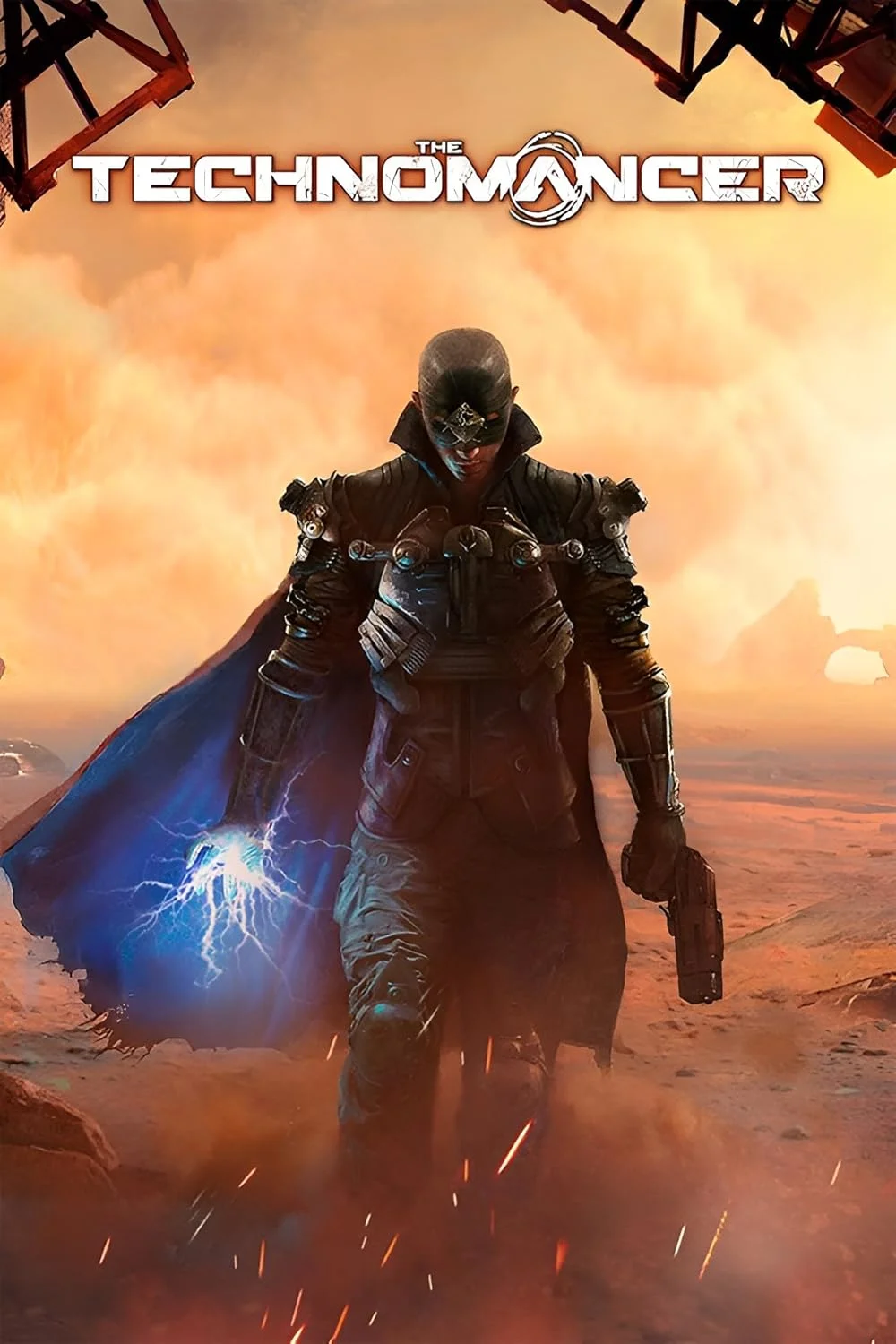
The Technomancer
This combination delivers exceptional performance with an average of 136 FPS, perfect for high refresh rate gaming and competitive play.
Average FPS: resolution vs quality settings
| Ultra | High | Medium | Low | |
|---|---|---|---|---|
| 4K Ultra HD | 51 | 65 | 76 | 99 |
| 1440p QHD | 92 | 118 | 138 | 180 |
| 1080p Full HD | 141 | 180 | 211 | 275 |
Cell color: green is 120+ FPS, teal is 60+, amber is 30+, red is below 30.
The Technomancer with Intel Core Ultra 7 270K Plus + NVIDIA GeForce RTX 4070 Ti SUPER, In-Depth Analysis
The Technomancer, a 2016 Action RPG, presents a demanding workload that clearly favors the NVIDIA GeForce RTX 4070 Ti SUPER in this Intel Core Ultra 7 270K Plus configuration. The measured data indicates a system that delivers high frame rates at 1440p but begins to show its limitations at 4K, where the GPU becomes the primary bottleneck. The overall performance is strong, placing this combo in the 91st percentile of all tested configurations, although the scaling patterns reveal that the experience is heavily dependent on resolution and in-game settings.
Resolution Scaling
The performance drop from 1080p to 4K is significant and reveals a system that is firmly GPU-limited at higher resolutions. At 1080p with High settings, the combo produces an average of 180 FPS. Moving to 1440p High, the average drops to 118 FPS, a reduction of 34.4%. Scaling further to 4K High yields an average of 65 FPS, which is a 44.9% decrease from the 1440p result. This steep decline indicates that the RTX 4070 Ti SUPER is the limiting component; the CPU has ample headroom at lower resolutions, but the GPU's rendering workload at 4K becomes the decisive factor.
The trend is consistent across all settings presets. At Low settings, the average frame rate falls from 275 FPS at 1080p to 180 FPS at 1440p (a 34.5% drop), and then to 99 FPS at 4K (a 45% drop from 1440p). The Medium preset shows a similar pattern, with averages of 211 FPS at 1080p, 138 FPS at 1440p, and 76 FPS at 4K. The Ultra preset, which is the most demanding, sees averages of 141 FPS at 1080p, 92 FPS at 1440p, and 51 FPS at 4K.
This scaling behavior suggests that for a 4K gaming experience, the user must be willing to lower settings to achieve high refresh rates. The gap between Low and Ultra settings at 4K is substantial, with a 48 FPS difference (99 vs 51 FPS). This indicates that the GPU's compute and memory resources are heavily taxed by the higher-fidelity presets at 4K. At 1080p and 1440p, the system is capable of delivering very high frame rates, even on the Ultra preset, which shows that the CPU’s 24 cores and 24 threads are more than sufficient for this title.
The data shows that the most significant performance leap occurs between the Medium and Low presets at 4K, where the average frame rate jumps from 76 to 99 FPS. This suggests that certain visual effects in the Medium preset have a disproportionate impact on the GPU at this resolution. At 1080p, the jump from Ultra to High is only 39 FPS, but from High to Medium is 31 FPS, indicating a more linear scaling at lower resolutions.
How This Combo Ranks
The Intel Core Ultra 7 270K Plus combined with the NVIDIA GeForce RTX 4070 Ti SUPER achieves a combo rank of 271 out of 2825 tested combinations in The Technomancer. This places the configuration in the top 9.6% of all tested systems, a strong result that underscores its high-end positioning. The data confirms that this pairing is well-suited for high-performance gaming, though it is not at the very top of the leaderboard.
The CPU's own performance metrics support this ranking. The Core Ultra 7 270K Plus scores a 96th percentile against all CPUs, with an average benchmark score of 93,785. Its nearest rivals include the Intel Xeon 6520P (average score 93,786, deltaPct 0), the AMD EPYC 4564P (average score 95,183, deltaPct -1.5), and the AMD EPYC 9175F (average score 95,615, deltaPct -1.9). This indicates the CPU is performing essentially on par with a Xeon workstation processor and only slightly behind several EPYC server parts in general benchmarks.
The GPU, however, shows a different profile. The RTX 4070 Ti SUPER has a percentile rank of 76 against all GPUs and an average benchmark score of 31,087. Its nearest rivals in the database are the NVIDIA Quadro M5000 (average score 31,206, deltaPct -0.4), the NVIDIA GRID M60-1Q (average score 31,220, deltaPct -0.4), and the NVIDIA RTX PRO 4500 Blackwell (average score 31,532, deltaPct -1.4). This suggests that while the GPU is powerful, its general compute score is not as dominant as the CPU's, which likely contributes to the combo's overall rank not being higher. The game's performance is ultimately capped by the GPU's capabilities, especially at higher resolutions.
Settings Recommendations
Based on the measured frame rates, the optimal settings for this combo depend heavily on the target resolution and refresh rate. For a 4K display, the data shows that the High preset, with an average of 65 FPS, is the best balance for a smooth experience. The Medium preset is also viable at 76 FPS, but the drop to 51 FPS on Ultra is too steep for consistent playability. The Low preset at 4K yields 99 FPS, but this sacrifices visual fidelity for a frame rate that is not necessary on most 60Hz displays.
For 1440p gaming, the High preset is the clear sweet spot, delivering an average of 118 FPS. This is ideal for high refresh rate monitors. The Medium preset at 138 FPS is also excellent, and even the Ultra preset at 92 FPS is playable. The Low preset at 180 FPS offers the highest performance but is not recommended given the visual quality trade-off. At 1080p, the system is so powerful that the Ultra preset, averaging 141 FPS, is the recommended choice for maximum visual quality without sacrificing smoothness.
The data indicates that the Medium preset provides the most consistent frame pacing, as it is the only preset with recorded minimum and maximum FPS values. At 4K Medium, the minimum is 64 FPS and the maximum is 87 FPS. At 1440p Medium, the range is 117 to 159 FPS, and at 1080p Medium, it is 180 to 243 FPS. This suggests that the Medium preset might offer a more stable experience than the High or Ultra presets, which lack such data. However, the average FPS figures for High are sufficiently high to recommend it for most users.
Measured FPS Breakdown
The complete set of measured frame rates provides a detailed picture of performance across all combinations of resolution and settings.
At 3840x2160 (4K), the averages are as follows: Low preset averages 99 FPS, Medium averages 76 FPS (with a minimum of 64 and maximum of 87), High averages 65 FPS, and Ultra averages 51 FPS. The progression is linear, with a 23 FPS difference between Low and Medium, an 11 FPS difference between Medium and High, and a 14 FPS difference between High and Ultra.
At 2560x1440 (1440p), the averages are: Low at 180 FPS, Medium at 138 FPS (minimum 117, maximum 159), High at 118 FPS, and Ultra at 92 FPS. The differences here are 42 FPS between Low and Medium, 20 FPS between Medium and High, and 26 FPS between High and Ultra. The jump from Low to Medium is the most significant, indicating a substantial increase in GPU workload.
At 1920x1080 (1080p), the averages are: Low at 275 FPS, Medium at 211 FPS (minimum 180, maximum 243), High at 180 FPS, and Ultra at 141 FPS. The performance deltas are 64 FPS between Low and Medium, 31 FPS between Medium and High, and 39 FPS between High and Ultra. This resolution shows the largest absolute differences, but all presets remain highly playable.
The data reveals that the scaling from 1080p to 1440p is roughly a 35% reduction in frame rate across most presets, while scaling from 1440p to 4K results in a further 45% reduction. This is consistent with a GPU-bound scenario where the pixel count increase directly impacts performance. The CPU does not appear to be a limiting factor at any resolution, as the frame rates at 1080p are exceptionally high, indicating the processor can easily feed the GPU.
GPU Role
The NVIDIA GeForce RTX 4070 Ti SUPER is the decisive component for The Technomancer performance, particularly at higher resolutions. The card is built on the Ada Lovelace architecture with an AD103 chip and features 16 GB of GDDR6X memory on a 256-bit bus, providing a memory bandwidth of 672.3 GB/s. The GPU has a base clock of 2340 MHz and a boost clock of 2610 MHz. These specifications directly correlate with the measured performance, as the 4K results show a clear dependency on the GPU's processing power and memory subsystem.
The 16 GB of VRAM is likely sufficient for this game's textures and assets, as the data does not show any anomalous performance drops that would suggest memory capacity issues. The memory bandwidth of 672.3 GB/s is a critical factor for 4K rendering, where high-resolution textures require rapid data access. The card’s 8448 shading units and 96 ROPs are responsible for the pixel processing, and the data shows that the Ultra preset at 4K, which taxes these units heavily, drops to 51 FPS.
The GPU's general benchmark score of 31,087 in Passmark G3D places it in the 76th percentile, which is respectable but not top-tier. This is reflected in the game's combo rank of 271. The card’s nearest rival, the NVIDIA Quadro M5000, has a nearly identical average score with a deltaPct of -0.4, yet the gaming performance in The Technomancer is likely different due to architectural advantages. The RTX 4070 Ti SUPER supports DirectX 12 Ultimate, which is relevant for a game released in 2016, as it may not utilize the latest features but benefits from the raw rasterization power.
The GPU's power delivery is a key aspect of its performance. With a TDP of 285 W and a suggested PSU of 600 W, it is a power-hungry card. The boost clock of 2610 MHz is a 270 MHz increase over the base clock, indicating that thermal and power headroom allow for significant performance scaling. This is evident in the frame rate differences between the Low and Ultra presets, which show the GPU's ability to dynamically adjust its clocks under varying loads.
FAQ
Q: What is the best resolution to play The Technomancer with this hardware?
A: The data shows that 2560x1440 with the High preset offers the best balance, averaging 118 FPS. This provides a high refresh rate experience without the significant performance cost seen at 4K, where the High preset averages only 65 FPS.
Q: Is the CPU or GPU the limiting factor for this game?
A: The benchmark results indicate the GPU is the limiting component. This is evident from the resolution scaling: performance drops by 34-45% moving from 1440p to 4K, while the CPU’s high scores in synthetic benchmarks (96th percentile) suggest it has ample headroom.
Q: How does this combo rank against other tested systems?
A: This configuration ranks 271 out of 2825 tested combos, placing it in the top 9.6%. This is a strong result, but not the absolute top, likely due to the GPU's 76th percentile ranking among all GPUs.
Q: Should I use the Ultra preset at 1440p?
A: Yes, the Ultra preset at 1440p averages 92 FPS, which is still very playable. It offers a 26 FPS reduction compared to the High preset but provides the highest visual fidelity in the data set for that resolution.
Q: What is the most stable settings preset based on the data?
A: The Medium preset is the only one with recorded minimum and maximum FPS values. At 4K, it ranges from 64 to 87 FPS; at 1440p, from 117 to 159 FPS; and at 1080p, from 180 to 243 FPS. This suggests it may offer more consistent frame pacing than other presets.
Q: Is the 16 GB of VRAM on the RTX 4070 Ti SUPER enough for this game?
A: Based on the measured frame rates, there is no evidence of a VRAM capacity bottleneck. The performance scaling is consistent with GPU compute limitations rather than memory constraints, and the 672.3 GB/s bandwidth is sufficient for the game's demands at all tested resolutions.
Hardware Specifications
Intel Core Ultra 7 270K Plus
NVIDIA GeForce RTX 4070 Ti SUPER
FPS Benchmarks by Resolution & Settings
Performance data for Intel Core Ultra 7 270K Plus + NVIDIA GeForce RTX 4070 Ti SUPER in The Technomancer
| Resolution | Settings | Avg FPS |
|---|---|---|
| 3840x2160 | Low | 99.0 |
| 3840x2160 | Medium | 76.0 |
| 3840x2160 | High | 65.0 |
| 3840x2160 | Ultra | 51.0 |
| 2560x1440 | Low | 180.0 |
| 2560x1440 | Medium | 138.0 |
| 2560x1440 | High | 118.0 |
| 2560x1440 | Ultra | 92.0 |
| 1920x1080 | Low | 275.0 |
| 1920x1080 | Medium | 211.0 |
| 1920x1080 | High | 180.0 |
| 1920x1080 | Ultra | 141.0 |
The Technomancer with iUltra 7 270K Plus + Other GPUs
See how The Technomancer performs with the same CPU but different graphics cards.
The Technomancer with RTX 4070 Ti SUPER + Other CPUs
See how The Technomancer performs with the same GPU but different processors.
Other Games with iUltra 7 270K Plus + RTX 4070 Ti SUPER
Explore FPS benchmarks for other games using this same hardware combination.