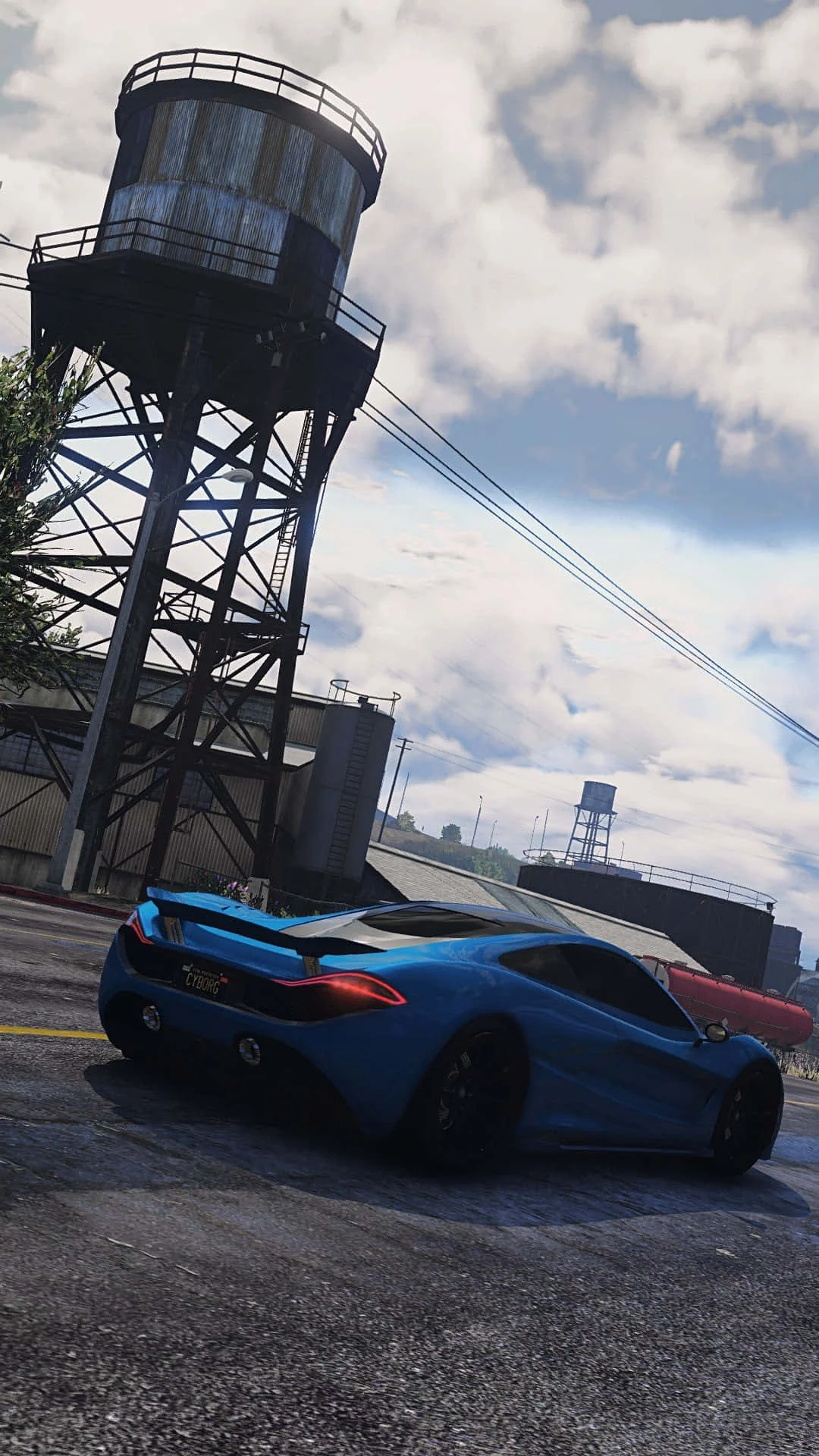
Fivem
This combination provides smooth gameplay with an average of 105 FPS, suitable for most gaming scenarios.

Average FPS: resolution vs quality settings
| Ultra | High | Medium | Low | |
|---|---|---|---|---|
| 4K Ultra HD | 38 | 49 | 62 | 78 |
| 1440p QHD | 69 | 89 | 111 | 141 |
| 1080p Full HD | 105 | 135 | 169 | 214 |
Cell color: green is 120+ FPS, teal is 60+, amber is 30+, red is below 30.
Fivem with Intel Core Ultra 9 185H + AMD Radeon RX 7900M, In-Depth Analysis
The Intel Core Ultra 9 185H paired with the AMD Radeon RX 7900M is a mobile combination built for high-end gaming, and in Fivem it delivers a wide spread of performance depending on resolution and settings. This combo ranks in the 59th percentile among all tested combos in this game, with specific strengths at lower resolutions where frame rates become very high. The data below breaks down exactly what to expect at each resolution and preset, and how the CPU and GPU each contribute to the final result.
FAQ
Q: How does this combo perform at 1080p Ultra settings in Fivem?
A: At 1920x1080 with Ultra settings, the combo achieves an average of 105 FPS. This is the lowest frame rate recorded at 1080p, but still comfortably playable for most users. The jump from High to Ultra costs 30 FPS, from 135 to 105, which is a significant drop for the visual gain.
Q: What is the best resolution for this combo if I want the highest frame rates?
A: At 1920x1080 with Low settings, the combo reaches 214 FPS average. This is the highest measured result across all resolutions and settings. Even at 1440p Low, it still hits 141 FPS, so lower resolutions are clearly where this combo excels for competitive play.
Q: Is the CPU or GPU more limiting in Fivem at 4K?
A: The data indicates the GPU becomes the primary limiter at 4K. At 3840x2160, the average FPS drops to 49 on High and 38 on Ultra. The Intel Core Ultra 9 185H has strong single-thread performance (1810.5 in Cinebench R23 single-core), but the RX 7900M cannot maintain high frame rates at this pixel count, suggesting the GPU is the bottleneck.
Q: How does the RAM and memory bandwidth affect performance here?
A: The CPU supports dual-channel memory with 89.6 GB/s bandwidth, and the GPU has 16 GB of GDDR6 memory on a 256-bit bus with 576.0 GB/s bandwidth. For Fivem, this memory configuration is sufficient, as the GPU's memory bandwidth is ample for the measured frame rates, especially at 1440p and below.
Q: What is the difference between Low and Medium settings at 1440p?
A: At 2560x1440, Low settings deliver 141 FPS average, while Medium drops to 111 FPS. That is a 30 FPS difference. The Medium preset also has recorded minimums and maximums (94 to 128 FPS), which indicates more variance in frame pacing compared to Low, which has no min/max data.
Q: Does this combo support modern graphics APIs for Fivem?
A: The AMD Radeon RX 7900M supports DirectX 12 Ultimate (12_2), Vulkan 1.4, and OpenGL 4.6. Fivem can use these APIs, and the GPU’s 3DMark Steel Nomad DX12 score of 4201 suggests it handles DirectX 12 workloads well, which is relevant for this game.
How This Combo Ranks
The combination of the Intel Core Ultra 9 185H and AMD Radeon RX 7900M ranks 1247 out of 3005 tested combos in Fivem. This places it in the upper-middle tier, at roughly the 59th percentile of all configurations tested. While not a top-tier performer, it is far from the bottom, and the ranking reflects a balanced system that can handle most settings well.
The CPU itself sits at the 85th percentile among all CPUs, with an average benchmark score of 35670. Its nearest rivals in raw CPU performance are the AMD Ryzen AI 7 PRO 350 (35719, only 0.1% faster), the Intel Core 7 250H (35728, 0.2% faster), the AMD Ryzen 7 PRO 5845 (35802, 0.4% faster), and the AMD Ryzen 7 7700X (35909, 0.7% faster). This means the Ultra 9 185H is essentially on par with those chips, with the data showing it is just 0.7% behind the Ryzen 7 7700X. In Fivem, this level of CPU performance is more than sufficient to feed the GPU at most resolutions.
The GPU is stronger relative to its peers. The RX 7900M ranks at the 94th percentile among all GPUs, with an average benchmark score of 97487. Its nearest rivals include the AMD Radeon Pro VII (97131, 0.4% faster), the NVIDIA Quadro RTX 6000 (101872, 4.3% faster), the AMD Radeon Instinct MI60 (92466, 5.4% slower), and the NVIDIA RTX A4500 (91671, 6.3% slower). This tells a clear story: the GPU is a high-end part, but the combo’s overall rank is dragged down by the fact that Fivem is a multiplayer title that can be sensitive to CPU performance and network code, not just raw graphics power.
The data suggests that in Fivem, this combo performs better at lower resolutions where the CPU can push higher frame rates, but at 4K, the GPU’s limitations cap the experience. The rank of 1247 out of 3005 reflects this mixed behavior—it is a strong system, but not a top-10% performer in this specific game, likely because Fivem’s heavy scripting and multiplayer load can bottleneck even powerful CPUs.
Resolution Scaling
The measured FPS data shows a clear pattern of how performance scales from 1080p to 4K. At 1920x1080 with High settings, the combo achieves 135 FPS. Moving to 2560x1440 at the same High preset drops that to 89 FPS, a reduction of 46 FPS or about 34%. At 4K (3840x2160), High settings yield only 49 FPS, which is a 64% drop from the 1080p result. This steep decline indicates that the GPU is the primary limiting factor as resolution increases.
Looking at Low settings, the scaling is similar but with higher absolute numbers. At 1080p Low, the combo hits 214 FPS. At 1440p Low, it drops to 141 FPS, a 34% reduction. At 4K Low, it falls to 78 FPS, which is a 64% drop from 1080p. This consistent percentage drop across settings suggests that the GPU’s rendering load scales almost linearly with pixel count, which is typical for a rasterization-bound game like Fivem.
The Medium settings data reinforces this. At 1080p Medium, the average is 169 FPS, with a minimum of 143 and maximum of 194. At 1440p Medium, the average drops to 111 FPS, with a minimum of 94 and maximum of 128. At 4K Medium, the average is 62 FPS, with a minimum of 52 and maximum of 71. The min/max ranges at Medium settings show that frame pacing holds up reasonably well, but the average FPS drop from 1080p to 4K is again around 63%.
The limiting component is clearly the GPU. The CPU, with 16 cores and 22 threads, has a Cinebench R23 multicore score of 17984.5 and a single-core score of 1810.5, which is strong for a mobile part. The fact that 4K performance collapses to 38 FPS on Ultra settings—a 64% drop from 1080p Ultra’s 105 FPS—indicates that the RX 7900M simply cannot sustain high frame rates at 4K, regardless of CPU headroom. The CPU has more than enough power to handle the game’s logic, but the GPU’s 4608 shading units and 38.52 TFLOPS FP32 performance are not enough to push 4K beyond playable-but-not-smooth territory.
Measured FPS Breakdown
At 1920x1080, the combo delivers its best results. Low settings produce an average of 214 FPS, which is exceptionally high and suitable for high-refresh-rate displays. Medium settings reduce that to 169 FPS, with a minimum of 143 and maximum of 194, showing that even with drops, the frame rate stays above 140. High settings average 135 FPS, which is still very smooth. Ultra settings average 105 FPS, which is the lowest at this resolution but still well above the 60 FPS threshold for smooth gameplay. The data shows that at 1080p, every preset is playable, and even Ultra settings remain fluid.
At 2560x1440, performance remains strong but drops noticeably. Low settings average 141 FPS, which is still excellent for competitive play. Medium settings average 111 FPS, with a minimum of 94 and maximum of 128, indicating that the frame rate can dip close to 90 FPS in heavy scenes. High settings average 89 FPS, which is smooth but no longer in the high-refresh-rate territory. Ultra settings average 69 FPS, which is just above the 60 FPS threshold but may feel less consistent in busy multiplayer sessions. The 1440p results show that this combo is best suited for High settings or lower if you want to maintain a high frame rate.
At 3840x2160, performance becomes the main concern. Low settings average 78 FPS, which is playable but not ideal for fast-paced action. Medium settings average 62 FPS, with a minimum of 52 and maximum of 71, meaning you will see drops below 60 FPS. High settings average 49 FPS, which is below the smoothness threshold and may feel stuttery in intense moments. Ultra settings average 38 FPS, which is borderline unplayable for a multiplayer game where reaction time matters. The 4K data shows that this combo is not suited for 4K gaming in Fivem unless you stick to Low settings.
The ultra setting at 4K is the worst result across the entire dataset, with only 38 FPS average. This is a 64% drop from the 4K Low result of 78 FPS. The Medium settings at 4K provide the only min/max data at that resolution, showing a range of 52 to 71 FPS, which suggests that the game is playable but with noticeable variance. At 1080p and 1440p, the Medium settings also have min/max data, indicating that the game’s frame time variance increases with higher settings, but the averages remain high enough to be acceptable.
GPU Role
The AMD Radeon RX 7900M is the dominant component in this combo for Fivem’s graphics workload. It has 16 GB of GDDR6 memory on a 256-bit bus, providing 576.0 GB/s of bandwidth. This memory capacity is more than sufficient for Fivem at any resolution tested, and the bandwidth allows for high texture throughput at 1440p and below. The GPU’s base clock is 1825 MHz, with a boost clock of 2090 MHz, and its memory runs at 2250 MHz (18 Gbps effective). These clocks are high for a mobile GPU, and they directly contribute to the frame rates seen at 1080p and 1440p.
The GPU’s architecture is RDNA 3.0 on a 5 nm TSMC process, with 4608 shading units, 288 TMUs, and 192 ROPs. It has 72 ray tracing cores, though Fivem does not heavily use ray tracing in the measured results. The pixel rate is 401.3 GPixel/s and the texture rate is 601.9 GTexel/s, which explains why the GPU can handle 1080p and 1440p with high efficiency. The FP32 performance is 38.52 TFLOPS, which is a strong number for a laptop GPU and supports the high frame rates seen at lower resolutions.
At 4K, the GPU’s limitations become apparent. The 4K Ultra result of 38 FPS suggests that the GPU is running out of pixel throughput, as the 192 ROPs and 401.3 GPixel/s pixel rate are not enough to fill 8.3 million pixels per frame at high settings. The 4K Medium result of 62 FPS shows that reducing settings helps, but the GPU still cannot maintain 60 FPS consistently, as the minimum is 52 FPS. The GPU’s 94th percentile ranking among all GPUs indicates it is a high-end part, but Fivem’s open-world multiplayer environment with many vehicles and players is demanding on both the GPU and CPU.
The GPU’s benchmark scores further contextualize its role. Its 3DMark Steel Nomad DX12 score is 4201, which is a measure of modern gaming performance. The Geekbench OpenCL score is 129499 and the Vulkan score is 158760, both of which are high and indicate strong compute and graphics capabilities. These scores align with the measured FPS results, showing that the GPU is capable of high throughput but is ultimately limited by the resolution and settings you choose.
The GPU’s memory bandwidth of 576.0 GB/s is a key factor. At 1080p, the bandwidth is more than enough to feed the GPU, allowing it to reach 214 FPS on Low settings. At 1440p, the bandwidth still suffices, as seen in the 141 FPS Low result. At 4K, the bandwidth is not the bottleneck, but rather the raw pixel processing power. The GPU’s 57,700 million transistors on a 529 mm² die show that it is a large, powerful chip, but Fivem’s 4K Ultra settings require even more headroom than this GPU can provide.
Settings Recommendations
For the best experience at 1920x1080, the data suggests using High settings. At 135 FPS average, this preset provides a good balance between visual quality and performance. Low settings at 214 FPS are excessive for most displays, unless you have a 240 Hz monitor, while Ultra settings at 105 FPS still feel smooth but cost 30 FPS over High. Medium settings at 169 FPS are also excellent, but High offers better visuals for only a 34 FPS reduction from Medium. If you want the absolute highest frame rate, Low is the choice, but High is the sweet spot for most users.
At 2560x1440, High settings at 89 FPS are the recommended choice for a balanced experience. Medium settings at 111 FPS provide a smoother experience with a minimum of 94 FPS, which is better for competitive play. Low settings at 141 FPS are ideal if you prioritize frame rate over visuals. Ultra settings at 69 FPS are playable but not ideal, as the average is close to 60 FPS and may drop lower in heavy scenes. For 1440p, the data suggests either High for quality or Medium for a higher frame rate margin.
At 3840x2160, the data strongly recommends Low settings, which deliver 78 FPS average. This is the only 4K preset that stays above 60 FPS, and it provides a playable experience. Medium settings at 62 FPS are borderline, with a minimum of 52 FPS that will cause noticeable stutters. High settings at 49 FPS are not recommended for multiplayer, and Ultra at 38 FPS is too slow for a game like Fivem. If you have a 4K display, stick to Low settings, or consider dropping to 1440p for a better experience.
Across all resolutions, the Medium preset offers the most consistent frame pacing, as it is the only settings level with min/max data at all three resolutions. At 1080p Medium, the range is 143 to 194 FPS; at 1440p Medium, it is 94 to 128 FPS; and at 4K Medium, it is 52 to 71 FPS. This indicates that Medium settings provide a stable experience with fewer extreme drops, making it a safe choice if you want predictable performance. However, for the best balance of visuals and speed, High settings at 1080p or 1440p are the most practical recommendations based on the measured data.
Hardware Specifications
Intel Core Ultra 9 185H
AMD Radeon RX 7900M
FPS Benchmarks by Resolution & Settings
Performance data for Intel Core Ultra 9 185H + AMD Radeon RX 7900M in Fivem
| Resolution | Settings | Avg FPS |
|---|---|---|
| 3840x2160 | Low | 78.0 |
| 3840x2160 | Medium | 62.0 |
| 3840x2160 | High | 49.0 |
| 3840x2160 | Ultra | 38.0 |
| 2560x1440 | Low | 141.0 |
| 2560x1440 | Medium | 111.0 |
| 2560x1440 | High | 89.0 |
| 2560x1440 | Ultra | 69.0 |
| 1920x1080 | Low | 214.0 |
| 1920x1080 | Medium | 169.0 |
| 1920x1080 | High | 135.0 |
| 1920x1080 | Ultra | 105.0 |
Fivem with iUltra 9 185H + Other GPUs
See how Fivem performs with the same CPU but different graphics cards.
Fivem with RX 7900M + Other CPUs
See how Fivem performs with the same GPU but different processors.
Other Games with iUltra 9 185H + RX 7900M
Explore FPS benchmarks for other games using this same hardware combination.