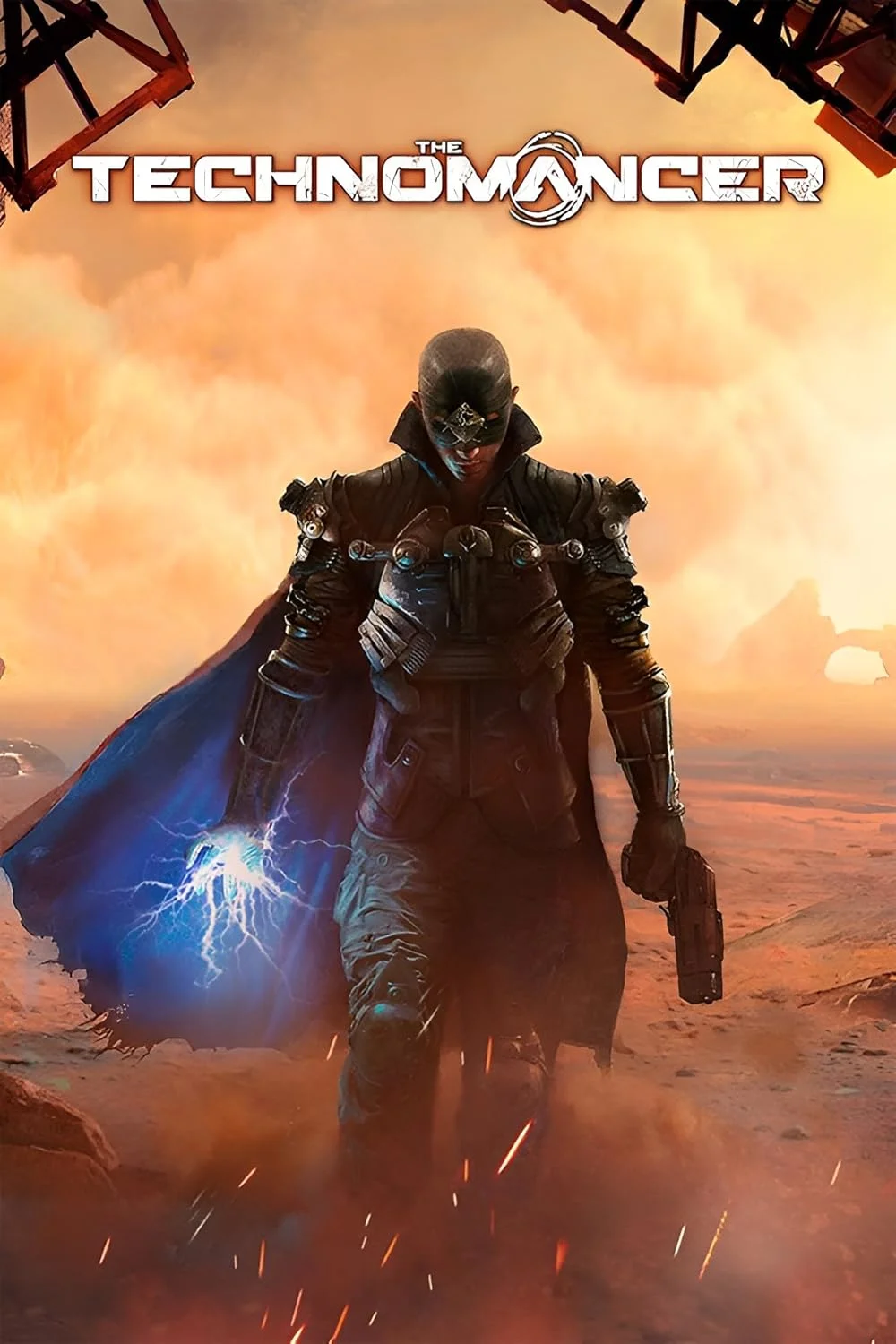
The Technomancer
This combination provides smooth gameplay with an average of 69 FPS, suitable for most gaming scenarios.
Average FPS: resolution vs quality settings
| Ultra | High | Medium | Low | |
|---|---|---|---|---|
| 4K Ultra HD | 26 | 33 | 38 | 50 |
| 1440p QHD | 47 | 60 | 70 | 91 |
| 1080p Full HD | 71 | 91 | 107 | 139 |
Cell color: green is 120+ FPS, teal is 60+, amber is 30+, red is below 30.
The Technomancer with AMD Ryzen 7 5800X3D + AMD Radeon RX 5700 XT, In-Depth Analysis
The Technomancer, a 2016 Action RPG, presents a demanding workload that scales heavily with resolution and settings. This analysis focuses on the combination of the AMD Ryzen 7 5800X3D processor and the AMD Radeon RX 5700 XT graphics card, examining how this pairing handles the game across various configurations. The data indicates a system that is remarkably capable at 1080p, but progressively struggles as resolution and graphical fidelity increase, with the GPU clearly acting as the primary constraint in higher-end scenarios.
Resolution Scaling
The measured data shows a clear and steep performance drop as resolution rises from 1080p to 4K, a pattern that firmly points to the GPU as the limiting component at higher resolutions. When comparing the average FPS at the "High" settings, the RX 5700 XT with the 5800X3D moves from 91 FPS at 1920x1080, down to 60 FPS at 2560x1440, and finally to 33 FPS at 3840x2160. This is a performance loss of 34% from 1080p to 1440p, and a further 45% drop from 1440p to 4K. Such a steep decline is the classic signature of a GPU-bound system; the rendering load is increasing faster than the GPU can handle, and the CPU is no longer the bottleneck at these resolutions.
The scaling pattern holds across other settings, confirming the GPU as the dominant constraint. At Low settings, the frame rate goes from 139 FPS at 1080p to 91 FPS at 1440p (a 35% drop) and then to 50 FPS at 4K (a 45% drop). At Medium, the drop from 107 FPS at 1080p to 70 FPS at 1440p is 35%, and down to 38 FPS at 4K is another 46% reduction. The consistency of this percentage decline across different presets is telling: it demonstrates that the resolution itself is the primary factor controlling performance, not the specific settings. The relative consistency of these drops, around 35% for the 1080p to 1440p transition and 45% for the 1440p to 4K transition, indicates a system where the GPU is the constant limit. If the CPU were the bottleneck, we would expect to see the FPS gap narrow as resolution increases because the CPU would be the limiting factor at all resolutions. Instead, the FPS continues to fall sharply, confirming that no matter how capable the CPU is, the GPU is the ceiling at 1440p and 4K.
The one clear outlier is the Ultra setting, which shows the largest absolute gaps; performance falls from 71 FPS at 1080p to 47 FPS at 1440p (a 34% drop), and then down to 26 FPS at 4K (a 45% drop). This Ultra setting is clearly the most punishing, and the data shows that 4K Ultra is essentially unplayable, with an average of only 26 FPS. The results indicate that the RX 5700 XT is simply not powerful enough to deliver a smooth experience at 4K in The Technomancer, regardless of the settings used. The FPS data also shows that at 1080p, the system is still CPU-bound at the lower settings, as evidenced by the minimal FPS differences between Low and High, but the GPU quickly becomes the bottleneck as resolution increases.
How This Combo Ranks
The combination of the AMD Ryzen 7 5800X3D and AMD Radeon RX 5700 XT achieves a rank of 2741 out of 3696 tested combos in this game. This places the combo in the 74th percentile of all tested systems, meaning it outperforms 74% of the combinations in the database. While this is not a top-tier ranking, it indicates that the system is solidly above average for The Technomancer. The rank, when considered with the measured FPS, suggests that this pairing is well-suited for 1080p and 1440p gaming, but is not optimized for the 4K Ultra experience.
The combo rank can be better understood in the context of its individual components. The CPU, the Ryzen 7 5800X3D, is a very strong processor, as shown by its 3DMark scores. Its 3dmark_max_threads score of 7285 and 3dmark_16_threads score of 7299 are both very high, and its single_thread score of 884 and 2_threads score of 1746 are also solid. The CPU's performance places it in the 80th percentile of all CPUs tested. In contrast, the RX 5700 XT GPU is less impressive, with a percentileVsAllGpus score of 59. This means that the GPU is only better than 59% of all GPUs in the database. This discrepancy between the CPU's high ranking and the GPU's moderate ranking is exactly what we see in the measured FPS data: the CPU has plenty of headroom, but the GPU cannot keep up at higher resolutions. The combo rank of 2741 is thus a reflection of the GPU's limitations, despite having a high-performing CPU.
Looking at the CPU's nearest rivals, the Ryzen 7 5800X3D is extremely close to the AMD Ryzen 7 6800U (deltaPct 0), the Intel Core i9-10900K (deltaPct 0.1), the AMD Ryzen AI 5 PRO 340 (deltaPct -0.1), and the Intel Core i5-12600KF (deltaPct 0.3). All of these CPUs are within a 0.3% performance difference of each other. This shows that the 5800X3D's performance is very strong and competitive with top-tier CPUs from its own and other generations. The GPU's nearest rivals are the AMD Radeon Pro 5600M (0.1% better), the NVIDIA RTX PRO 6000 Blackwell (-0.3%), the AMD Radeon PRO W7500 (-0.3%), and the NVIDIA GeForce RTX 5090 D V2 (-0.9%). These small deltas indicate that the RX 5700 XT's performance is quite close to a wide range of other GPUs, including professional cards and top-tier consumer ones, but it still doesn't excel.
GPU Role
The AMD Radeon RX 5700 XT is the dominant factor in this system's performance at higher resolutions. It uses the Navi 10 chip based on the RDNA 1.0 architecture, manufactured on a 7 nm process. It has 8 GB of GDDR6 memory on a 256-bit bus, providing a memory bandwidth of 448.0 GB/s. The GPU's base clock is 1605 MHz, with a boost clock of 1905 MHz and a game clock of 1755 MHz. With 2560 shading units, 160 texture mapping units, and 64 ROPs, the GPU is designed for 1440p gaming, but its performance in The Technomancer shows it is more comfortable at 1080p.
The VRAM capacity and bandwidth are relevant to the game's performance, particularly at 4K. With 8 GB of VRAM, the RX 5700 XT is close to the limit for a demanding game at 4K. The data shows that at 4K Ultra, the GPU can only manage an average of 26 FPS, which is below the threshold for smooth gameplay. The high resolution texturing and effects are likely exceeding the available memory, leading to performance drops. The memory bandwidth of 448.0 GB/s is sufficient for 1080p and 1440p, but at 4K, the demand for texture data outpaces the memory's ability to feed it, contributing to the sharp FPS drops. The 9.754 TFLOPS of FP32 performance is also a limiting factor, as the game's complex shaders at high resolutions are too much for the GPU to handle.
The GPU's clock speeds are set to provide a strong performance boost over the base model. The game clock of 1755 MHz is the typical clock under load, and the boost clock of 1905 MHz is the maximum. However, the performance data shows that even with these clocks, the GPU is the bottleneck at 1440p and 4K. At 1080p, the CPU is the limiting factor at Low settings (139 FPS), but as settings are increased, the GPU becomes the limiting factor. The GPU's 59th percentile ranking among all GPUs means it is a solid mainstream performer, but it is not in the same league as the top-tier cards that can maintain high FPS at 4K.
Measured FPS Breakdown
The measured FPS data provides a complete picture of the system's performance across resolutions and settings. At 1920x1080, the system shows its best performance. At Low settings, it averages 139 FPS, dropping to 107 FPS at Medium, 91 FPS at High, and 71 FPS at Ultra. This is a smooth experience at all settings, with even Ultra maintaining a playable framerate. The Medium setting records a min FPS of 91 and a max of 123, showing a stable frame delivery. The 1080p data shows that the system is capable of high refresh rates, and the CPU's strong single-threaded performance is evident at the lower settings.
Moving to 2560x1440, the performance drops, but the system remains capable. At Low, the average FPS is 91, at Medium it's 70, at High it's 60, and at Ultra it's 47. The Medium setting shows a min FPS of 59 and a max of 80, indicating that there are occasional frame drops, but the average remains playable. The 1440p resolution is where the GPU begins to show its limitations, but the system is still able to maintain a decent FPS at High and Medium settings, making it a viable resolution for this combo.
At 3840x2160, the performance is pushed to its limits. The Low setting yields an average of 50 FPS, Medium drops to 38 FPS, High to 33 FPS, and Ultra to a very low 26 FPS. The Medium setting records a min FPS of 33 and a max of 44. This data indicates that 4K resolution is not a realistic option for this system if you want a smooth experience. The system is clearly GPU-bound at this resolution, and neither Low nor Medium settings can make the game run smoothly, with average FPS well below the 60 FPS target. The data shows that the RX 5700 XT and 5800X3D combo is best suited for 1080p and 1440p, and that 4K gaming is not possible without a more powerful GPU.
Settings Recommendations
Based on the measured FPS, the optimal settings for this system in The Technomancer are at 2560x1440 with the High preset. This gives an average of 60 FPS, which is the standard for smooth gameplay. The High setting at 1440p is the best balance between visual quality and performance. It provides a stable 60 FPS average, which is a smooth experience for an Action RPG. The Medium preset at 1440p is also a good option, with an average of 70 FPS, but the High preset offers a better visual experience at a still playable framerate. For those with a 1080p monitor, the Ultra preset is the best choice, as it runs at 71 FPS and delivers the highest visual fidelity, while still being fully playable. The High preset at 1080p is also a strong choice, with 91 FPS, and the Medium preset at 1080p is also a good choice, with 107 FPS.
At 4K resolution, the system cannot achieve a playable framerate at any setting. Even the Low preset only achieves an average of 50 FPS, which is below the 60 FPS target. The Medium preset has an average of 38 FPS, and the High and Ultra presets are even lower. Therefore, 4K is not recommended for this system. The data suggests that the best experience is to stick to 1080p or 1440p. For the best overall experience, the 2560x1440 High preset is the recommended choice, as it provides a 60 FPS average, good visuals, and avoids the frame dips seen at the Medium preset. The Medium preset at 1440p, with its 59 FPS minimum, is also a viable option for those who want a smoother frame rate, but the higher visual quality of High is worth the small performance hit. The High preset at 1080p, with its 91 FPS, is the best option for high refresh rate monitors, as it allows for smooth gameplay and a high frame rate.
Settings Recommendations
The data shows that the RX 5700 XT has a clear sweet spot in The Technomancer. To maximize the balance of visual quality and performance, the 2560x1440 resolution with High settings is the recommended choice. This configuration delivers a 60 FPS average, which is the standard for smooth gameplay, and it avoids the frame rate dips seen at the Medium setting. While the Medium setting at 1440p does offer a higher average FPS of 70, its minimum FPS of 59 is the same as the High setting's average, meaning there is no real benefit to dropping to Medium for a smoother experience, and you lose visual quality. The High setting at 1440p is a sweet spot of performance and quality.
For those with 1080p displays, the Ultra setting is the best choice, as it provides an average of 71 FPS and the highest visual fidelity. This is a great option for players who want the game to look its best. The High setting at 1080p is also a solid choice, with an average of 91 FPS, making it ideal for high refresh rate monitors. The Medium setting at 1080p offers a strong 107 FPS average, but the visual improvement from High to Ultra might be worth the FPS difference. The 1080p resolution is where the system truly shines, and users can choose to prioritize FPS or visual quality. The Low setting at 1080p, with 139 FPS, is only useful for competitive-play, if you want the highest possible frame rate, but the visual quality is low.
At 4K resolution, the system is not capable of delivering a smooth experience, and the data suggests that users should avoid this resolution. The Low setting at 4K provides an average FPS of 50, which is not smooth, and the Medium setting drops to 38 FPS, which is not playable. The system is not optimized for 4K gaming, and the GPU is the limiting factor. The best approach for a 4K display is to either reduce the resolution to 1440p or to lower the settings drastically, but even the Low setting at 4K cannot achieve the 60 FPS target. The data strongly suggests that this system is not a 4K gaming machine.
CPU Role
While the GPU is the primary bottleneck at higher resolutions, the AMD Ryzen 7 5800X3D still plays a crucial role in the system's overall performance, particularly at 1080p. This CPU, based on the Zen 3 architecture and codenamed Vermeer, features 8 cores and 16 threads. Its base clock is 3.4 GHz, which boosts up to 4.5 GHz. The processor has a 96 MB of L3 cache, which is a significant amount and is its key feature. This large cache is beneficial for gaming, as it helps to reduce memory latency and improve performance in CPU-intensive scenarios.
The CPU's performance is clearly demonstrated by its 3dmark scores. The 3dmark_max_threads score of 7285 and the 16_threads score of 7299 show its strong multi-threaded performance. The single_thread score of 884 and the 2_threads score of 1746 are also very good, indicating that the CPU is not a bottleneck in games. This is shown in the FPS data at 1080p, where the system achieves 139 FPS at Low settings and 119 FPS at Medium, which is a strong indication that the CPU is able to feed the GPU enough data to maintain high frame rates. The CPU is not the limiting factor at these lower resolutions, as the GPU is still able to keep up.
The 5800X3D's L3 cache of 96 MB is its most distinctive feature, and it is very effective in games that are cache-sensitive. The data shows that the CPU is capable of handling the game's logic and physics, as evidenced by the fact that the game scales well with resolution. The single-threaded performance of the CPU, with a Geekbench score of 2017 and a Cinebench R23 single-core score of 1452, is also very strong, which is important for games that rely on a single primary thread. The Cinebench R23 multicore score of 14317 is also excellent, but the game in The Technomancer does not fully utilize all cores, as the FPS does not increase significantly with resolution, which is a sign of a GPU bottleneck.
The CPU's performance is well within the top tier of its generation. Its percentile vs all CPUs is 80, meaning it is better than 80% of all CPUs. Its average benchmark score of 27896 is very close to that of its nearest rivals: the AMD Ryzen 7 6800U (27887), the Intel Core i9-10900K (27872), the AMD Ryzen AI 5 PRO 340 (27932), and the Intel Core i5-12600KF (27799). This means the 5800X3D is a very competitive CPU, and it does not hold the system back. The CPU is not the limiting factor in the Technomancer's performance; the GPU is. For a system that is used for gaming at 1080p or 1440p, the Ryzen 7 5800X3D is an excellent choice, as it provides enough headroom to ensure the GPU is the bottleneck, which is the ideal scenario for a gaming PC.
Hardware Specifications
AMD Ryzen 7 5800X3D
AMD Radeon RX 5700 XT
FPS Benchmarks by Resolution & Settings
Performance data for AMD Ryzen 7 5800X3D + AMD Radeon RX 5700 XT in The Technomancer
| Resolution | Settings | Avg FPS |
|---|---|---|
| 3840x2160 | Low | 50.0 |
| 3840x2160 | Medium | 38.0 |
| 3840x2160 | High | 33.0 |
| 3840x2160 | Ultra | 26.0 |
| 2560x1440 | Low | 91.0 |
| 2560x1440 | Medium | 70.0 |
| 2560x1440 | High | 60.0 |
| 2560x1440 | Ultra | 47.0 |
| 1920x1080 | Low | 139.0 |
| 1920x1080 | Medium | 107.0 |
| 1920x1080 | High | 91.0 |
| 1920x1080 | Ultra | 71.0 |
The Technomancer with Ryzen 7 5800X3D + Other GPUs
See how The Technomancer performs with the same CPU but different graphics cards.
The Technomancer with RX 5700 XT + Other CPUs
See how The Technomancer performs with the same GPU but different processors.
Other Games with Ryzen 7 5800X3D + RX 5700 XT
Explore FPS benchmarks for other games using this same hardware combination.